
To update the payment method, log in to the customer portal at https://service.borlabs.io/.
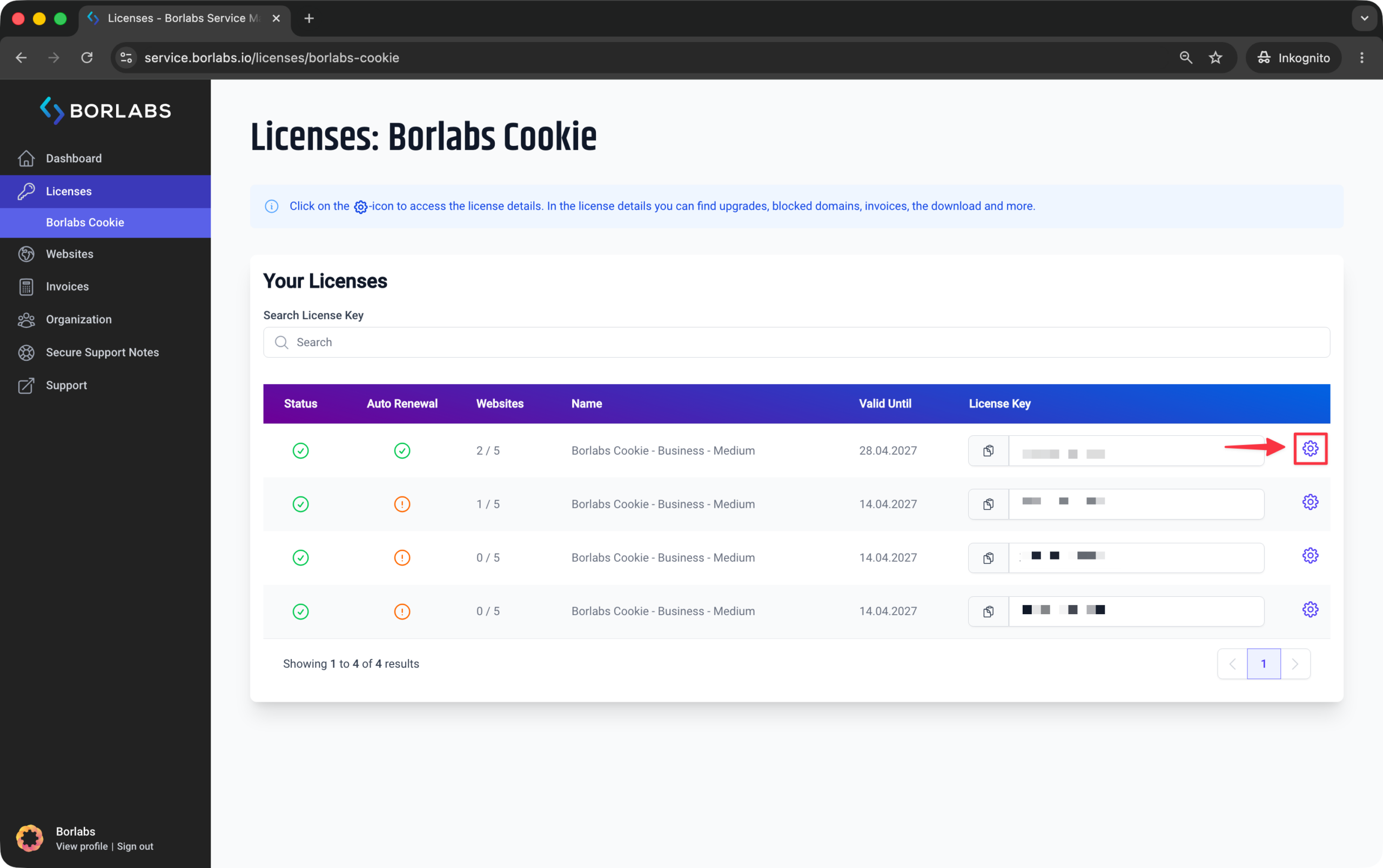
Then click "Licenses" or "Borlabs Cookie" and select the gear icon for the relevant license.
On the right-hand side under "Subscription Details", you’ll find the "Update" link to change the payment method.
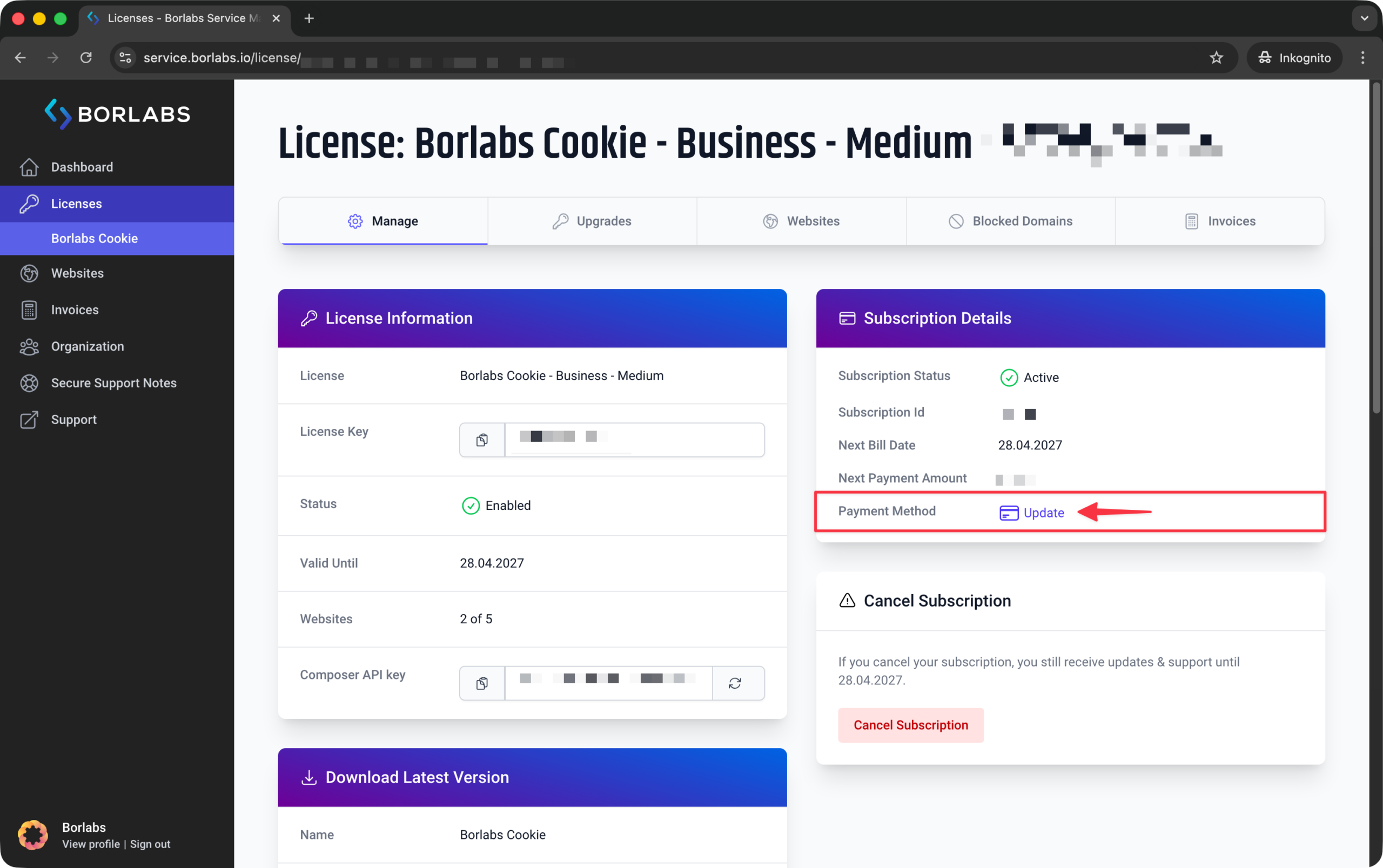
This option is only available if you’re signed in as the owner of the organization and the licence has not been cancelled.