
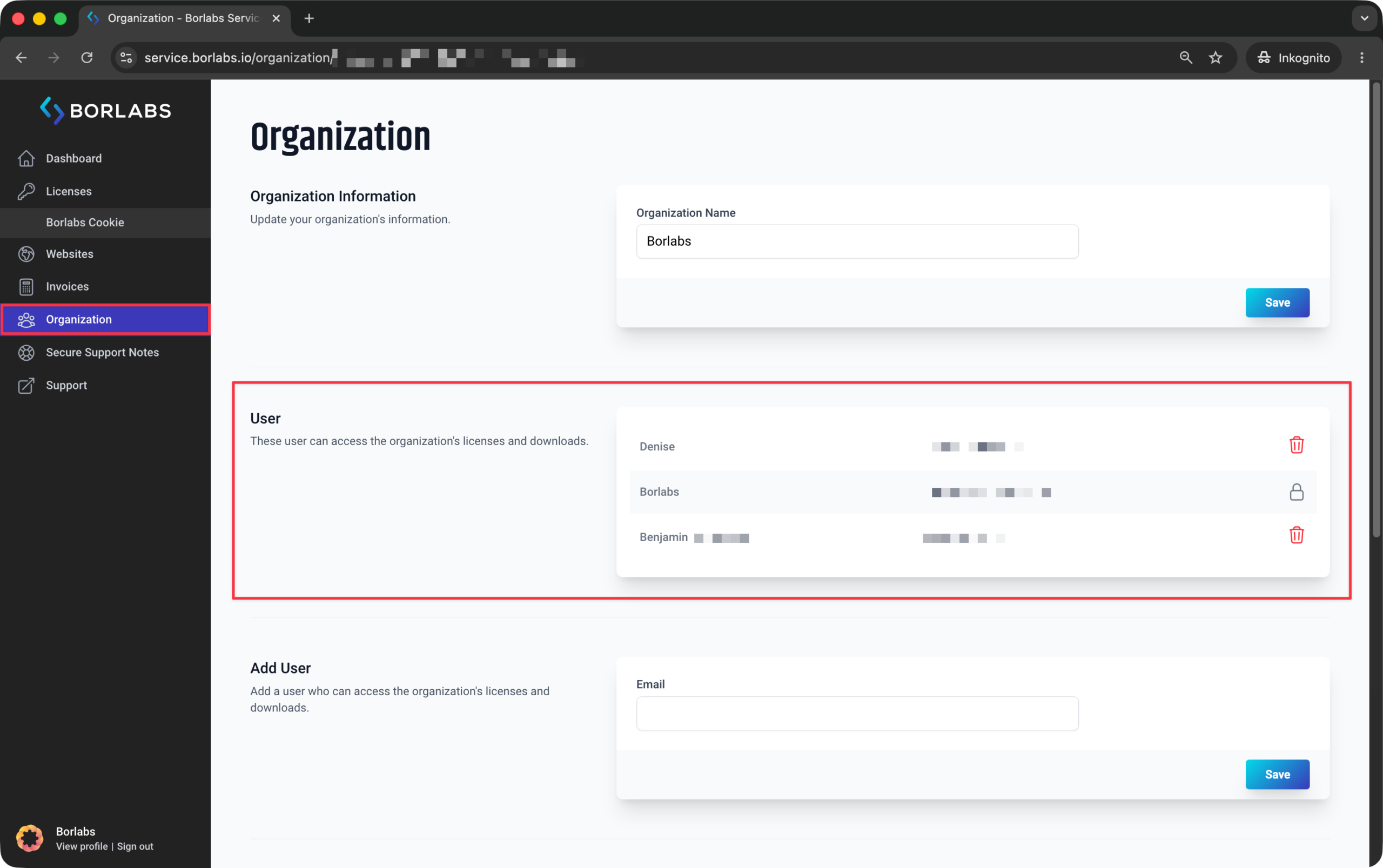
To change the owner of the account, first log in to the customer portal at https://service.borlabs.io/login using the current owner's account. Then click on "Organization".
Under "Users", you will find an overview of all users within the organization. If the new owner is not yet listed, please add them as a user first.
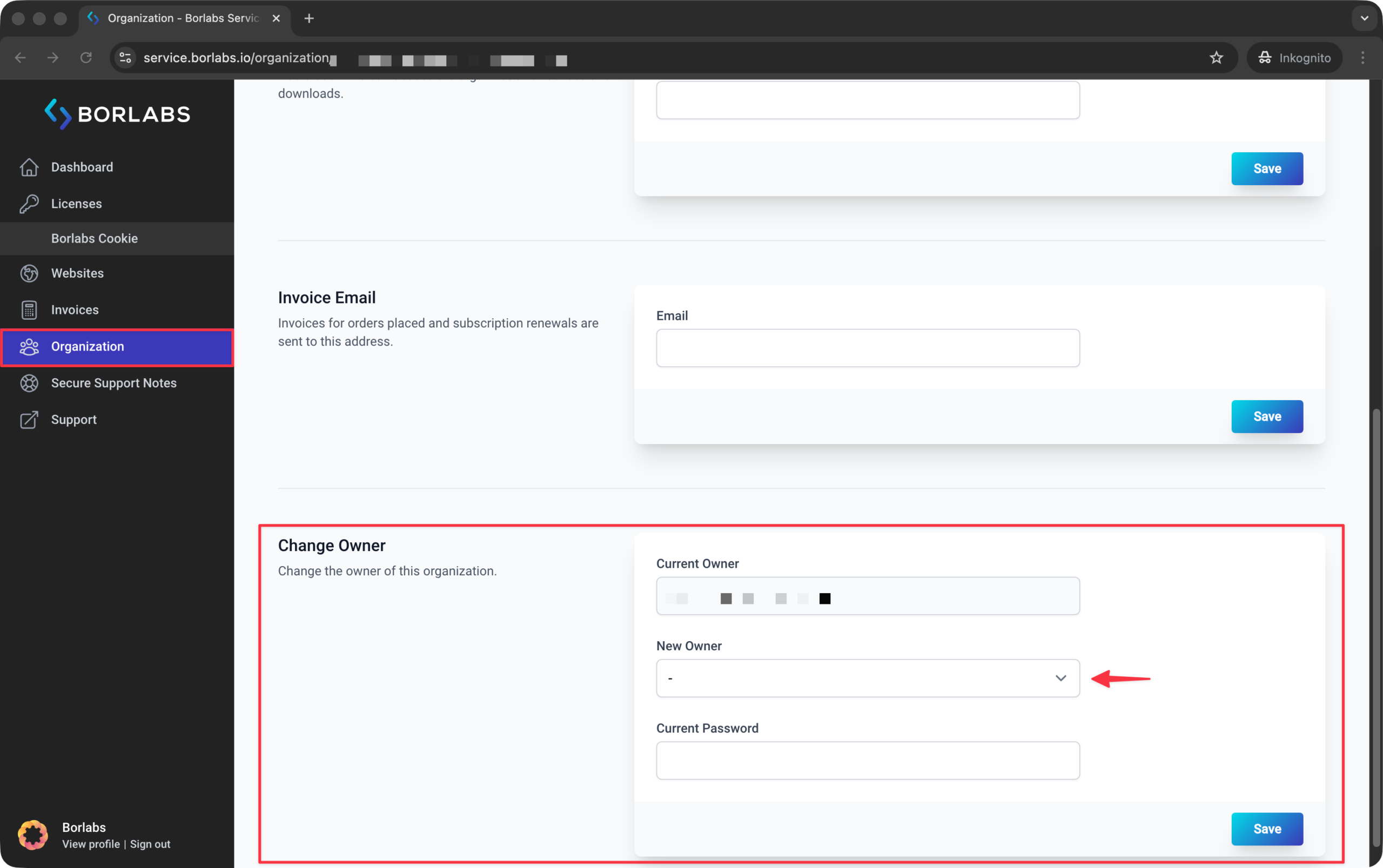
At the bottom of the page, you will find the "Change Owner" section. Select the desired user as the new owner and complete the ownership transfer.
Your email address stored with Paddle will remain unchanged and must be updated separately. To do so, please contact our support team and select "Change Email Address" as the topic.