
There are two ways to use Consent Mode v2 with Borlabs Cookie.
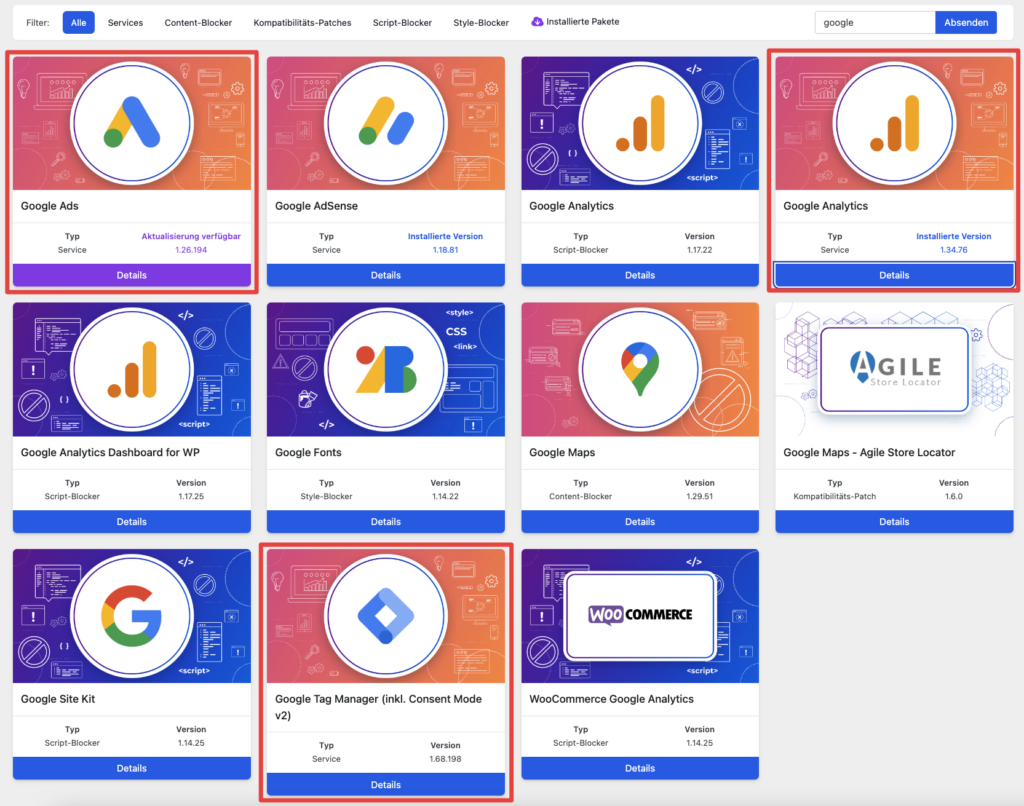
You can either use it with our Google Analytics and Google Ads Services, or you can implement it through our Google Tag Manager (GTM) Service.
To do so, simply install the package that best fits your needs from the Borlabs Cookie 3.0 Library.
What should you consider when using Consent Mode v2?
Important:
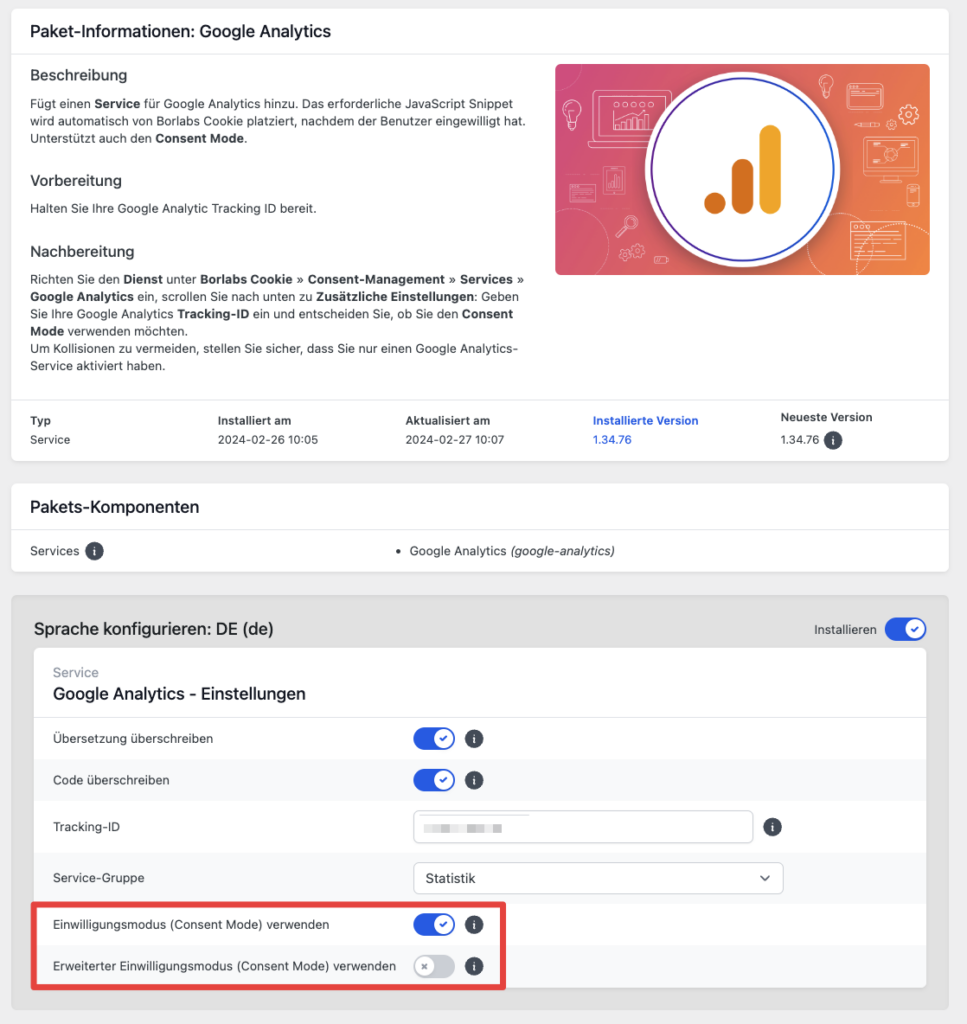
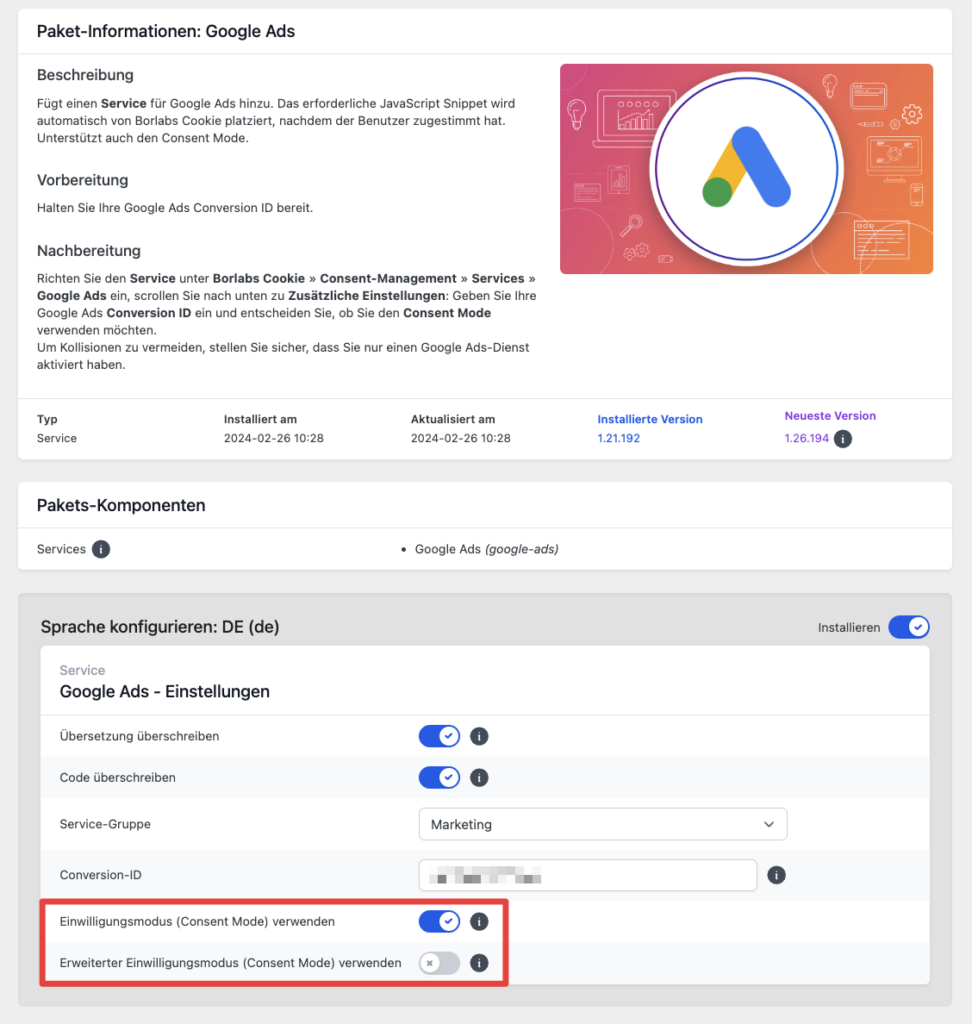
If you do not specifically require Google Tag Manager, it is sufficient to install the relevant package (Google Analytics or Google Ads) and enable Consent Mode there.
Basic Consent Mode is already enabled when you install the respective package.
If you are planning more complex setups, we recommend Google Tag Manager.
Please note:
Setting up Google Tag Manager requires advanced knowledge. However, we provide detailed step-by-step instructions in the following article: Setup Google Tag Manager (local) in Borlabs Cookie 3.0
Google Analytics
Google Ads
Google Tag Manager
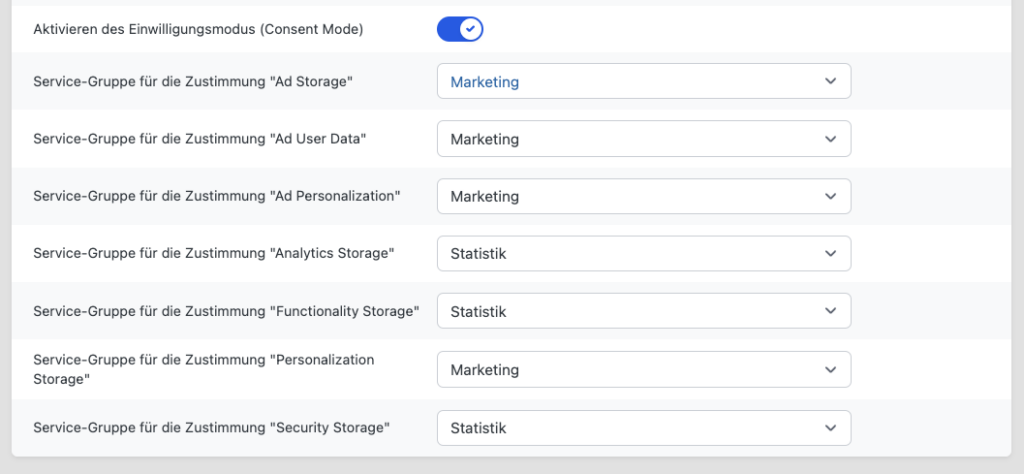
For Google Tag Manager setup instructions, please refer to our detailed documentation: Setup Google Tag Manager (local) in Borlabs Cookie 3.0