
When attempting to activate the license key, the following message is displayed:
"It is not possible to register another website with this license key. Remove the license key from another website to register it here. Check your license key in our customer portal service.borlabs.io."
To remove the website currently associated with the license, please log in to the customer portal: https://service.borlabs.io/login
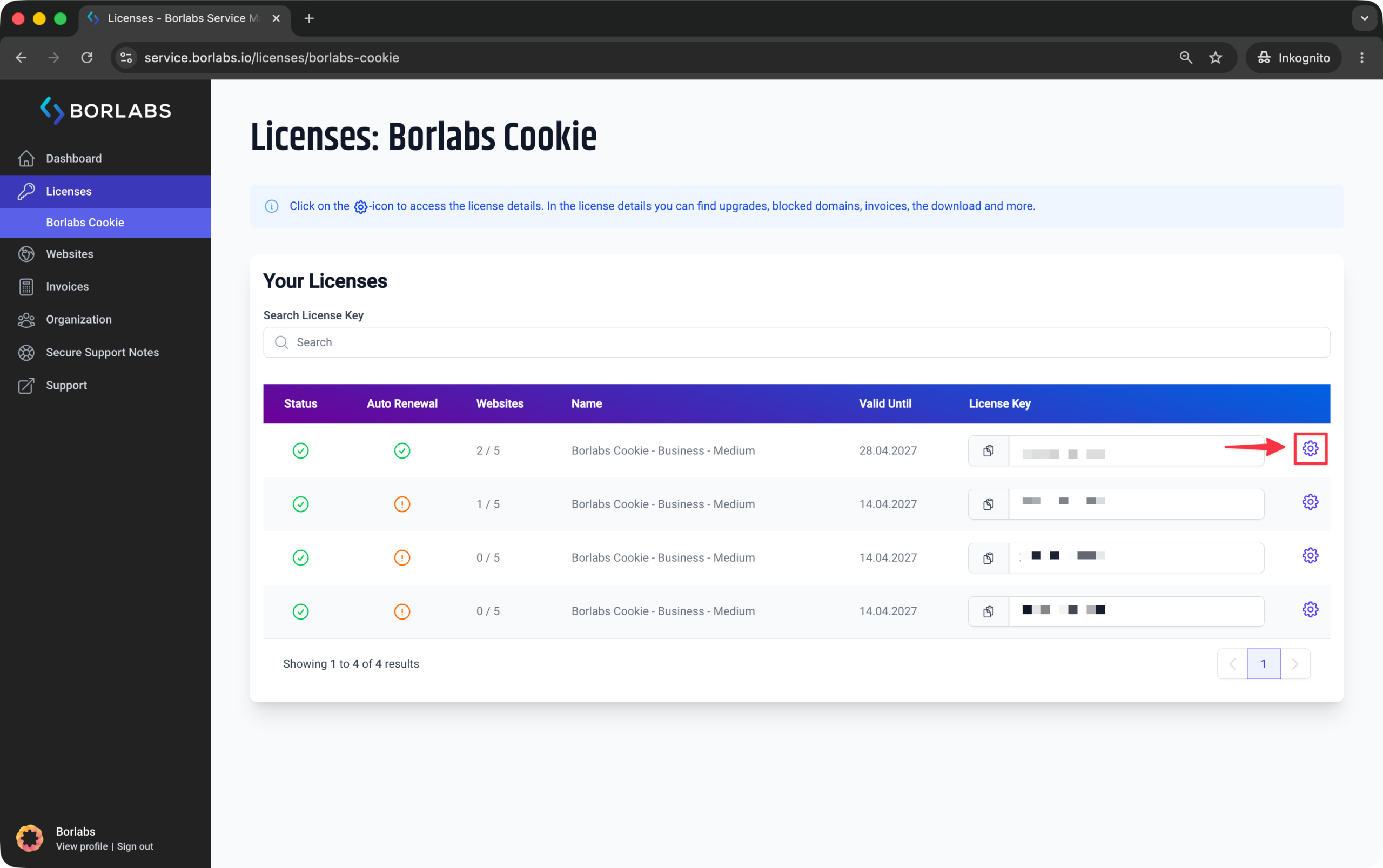
Then navigate to "Licenses" or "Borlabs Cookie" and click the gear icon next to your license.
In the license details, open the "Websites" tab.
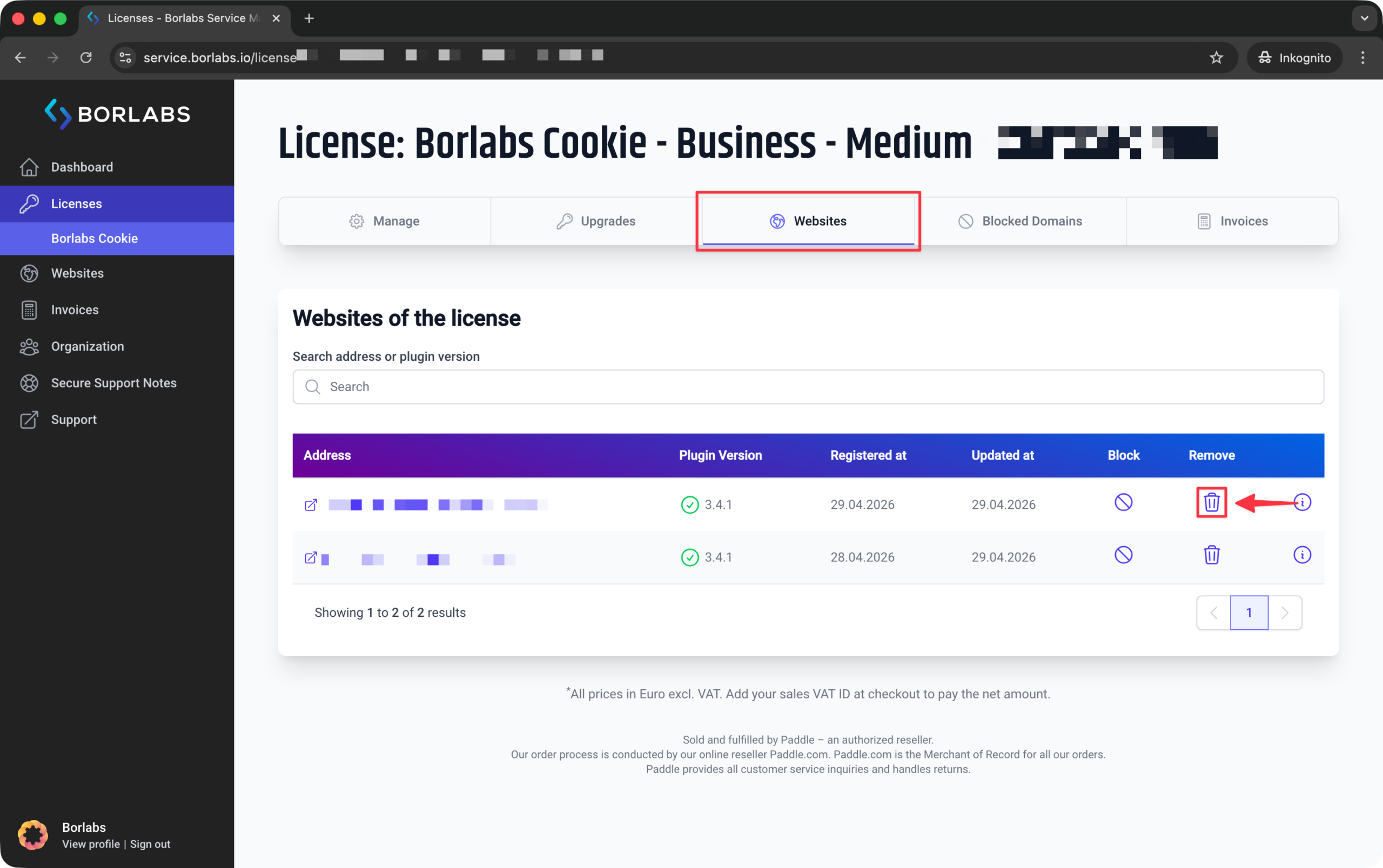
Click the icon in the "Remove" column. Once the website has been removed, you can activate the license key on the new website.