
To update your billing address or the company name on an invoice, please first log in to our customer portal at https://service.borlabs.io/.
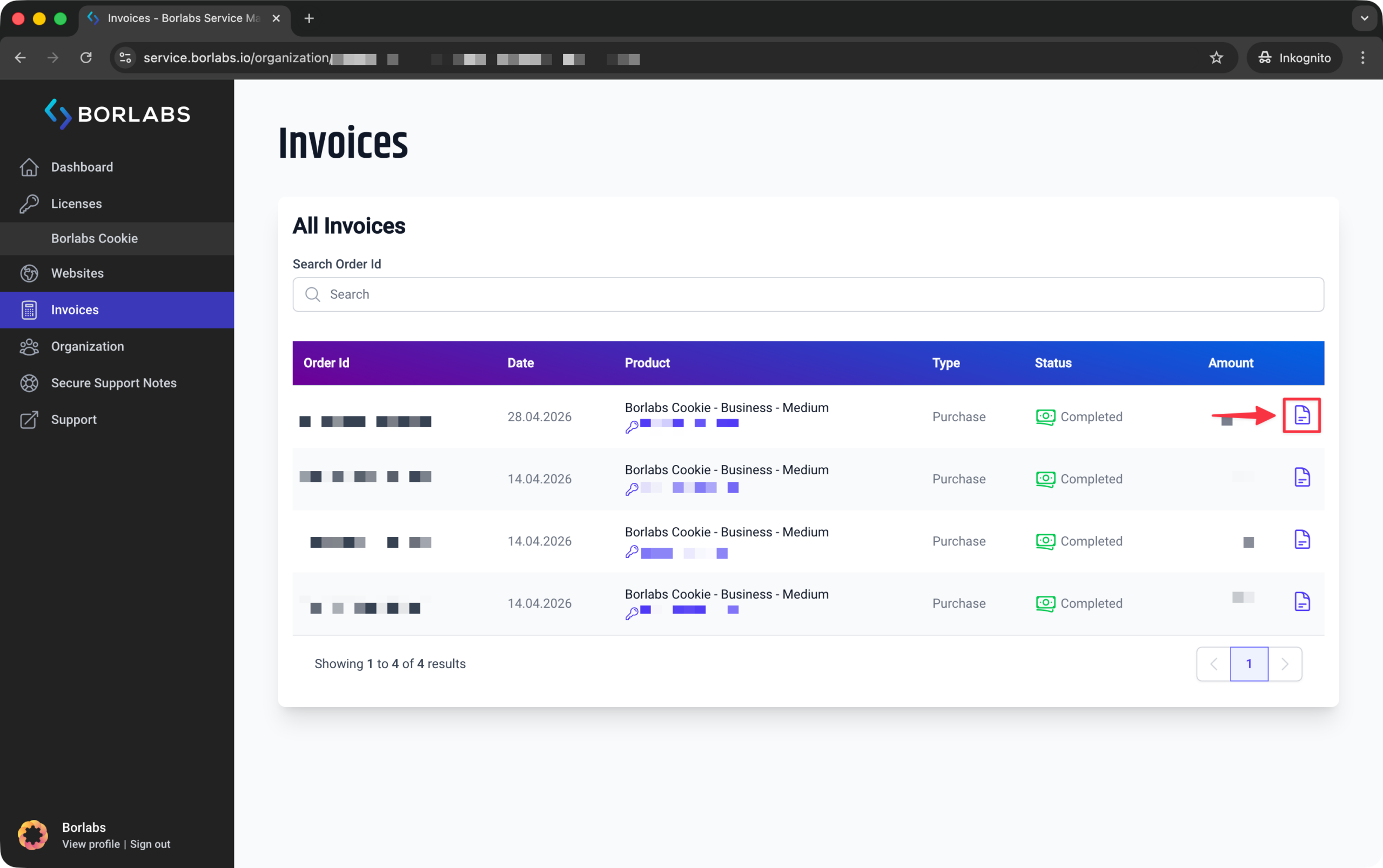
Go to the "Invoices" section and click the document icon to open the invoice in your browser.
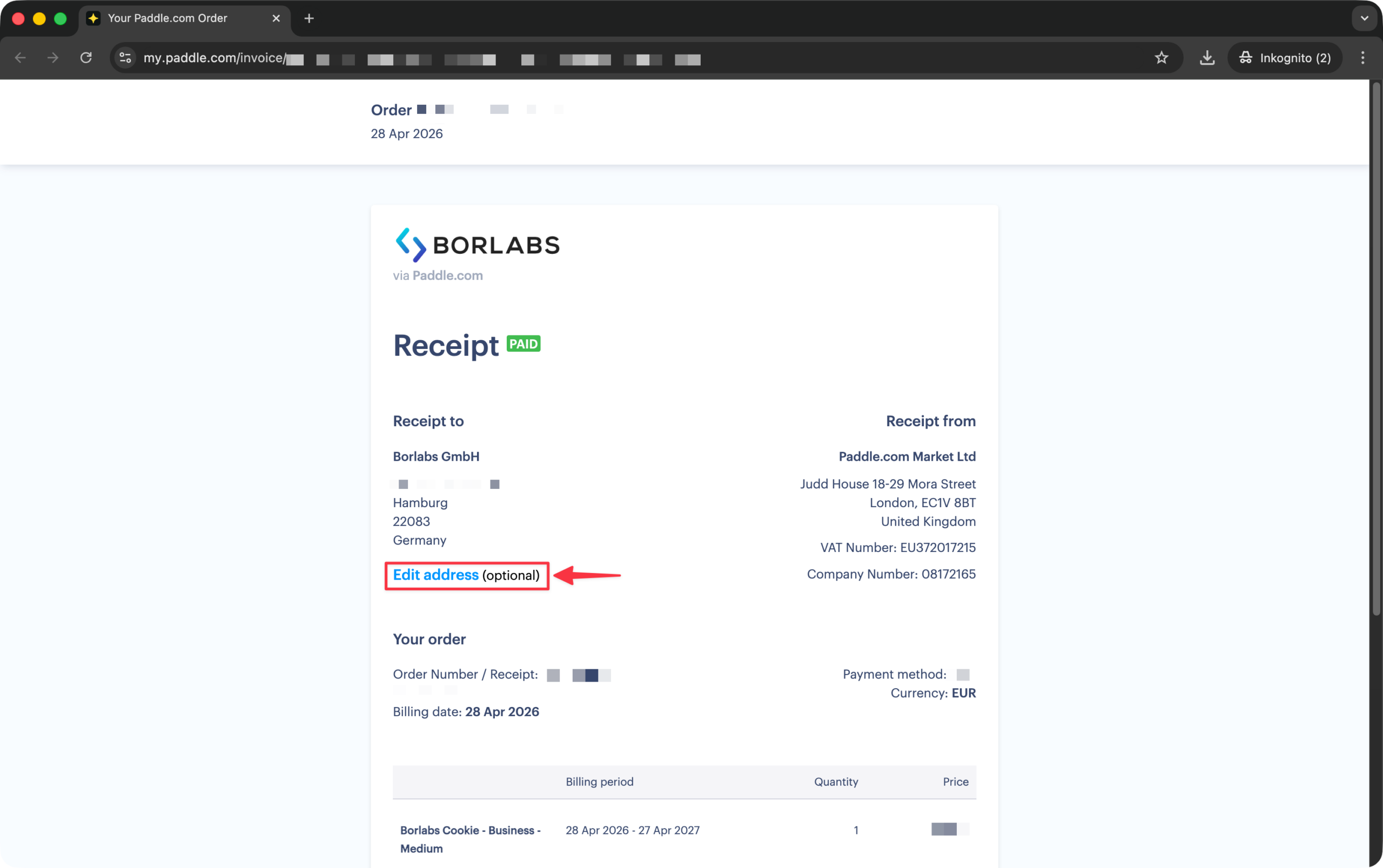
To make changes, click "Edit address" and update your details as needed.
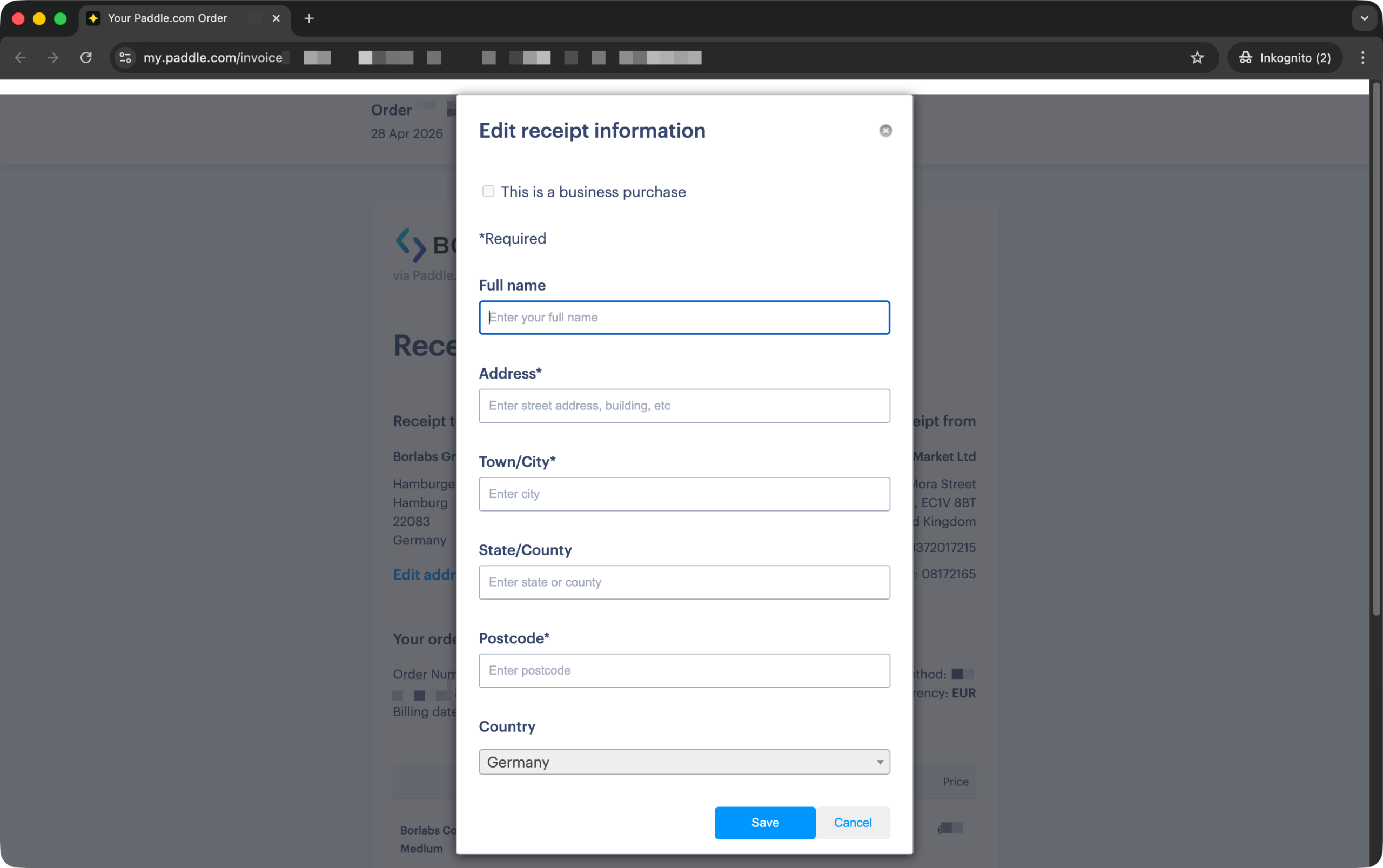
Enter your current information.
Afterward, you can download the invoice if required.
To save the invoice as a PDF, select the "Print" option. You can access the print dialog from your browser's menu, by right-clicking on the invoice, or by using the keyboard shortcut "Ctrl + P". Then, in the print dialog, select "Save as PDF".