
To cancel your subscription, please log in to the customer portal at https://service.borlabs.io/login.
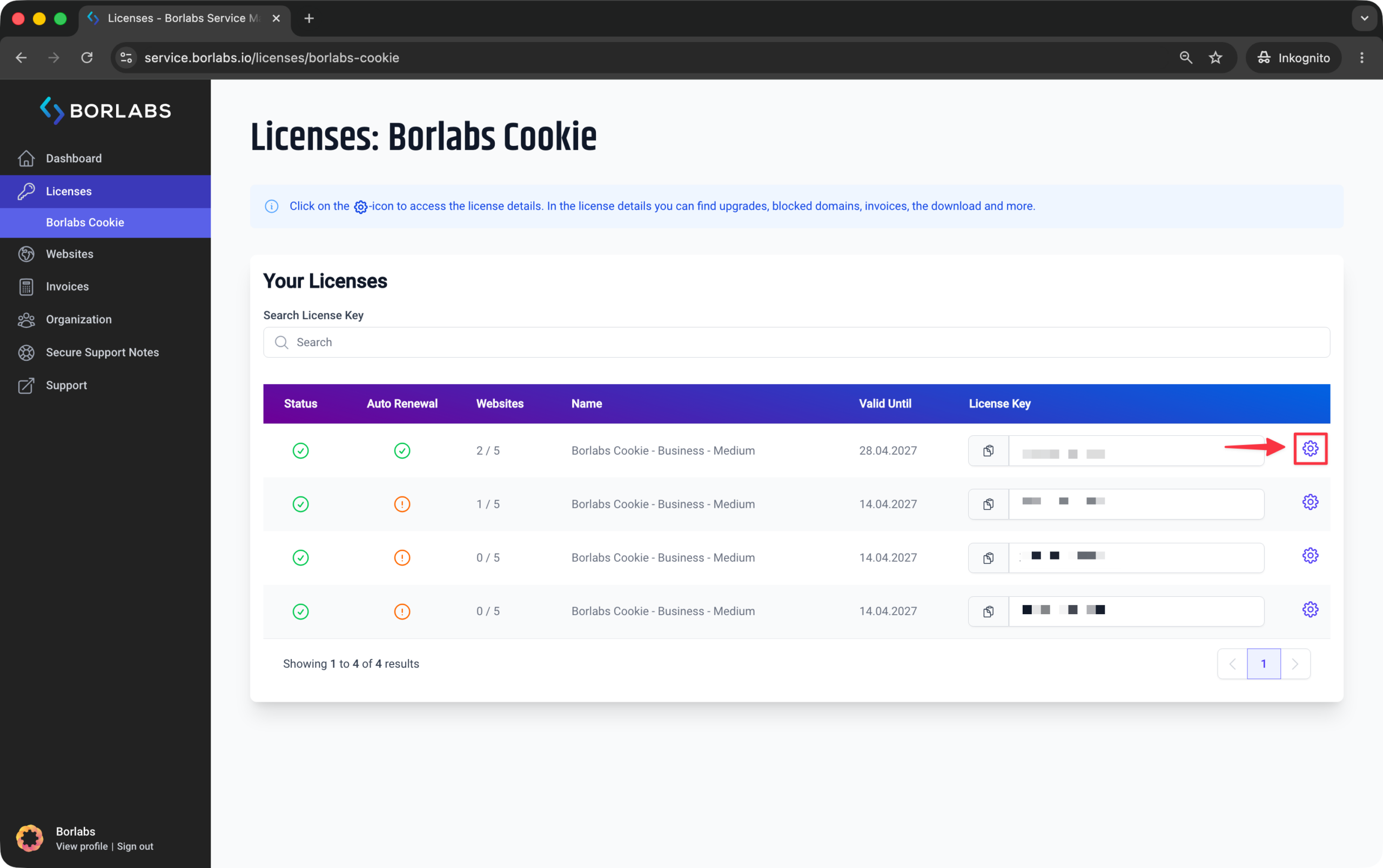
Then navigate to "Licenses" or "Borlabs Cookie" and click the gear icon next to the license you would like to cancel.
In the license details, you will find the option to cancel the subscription.
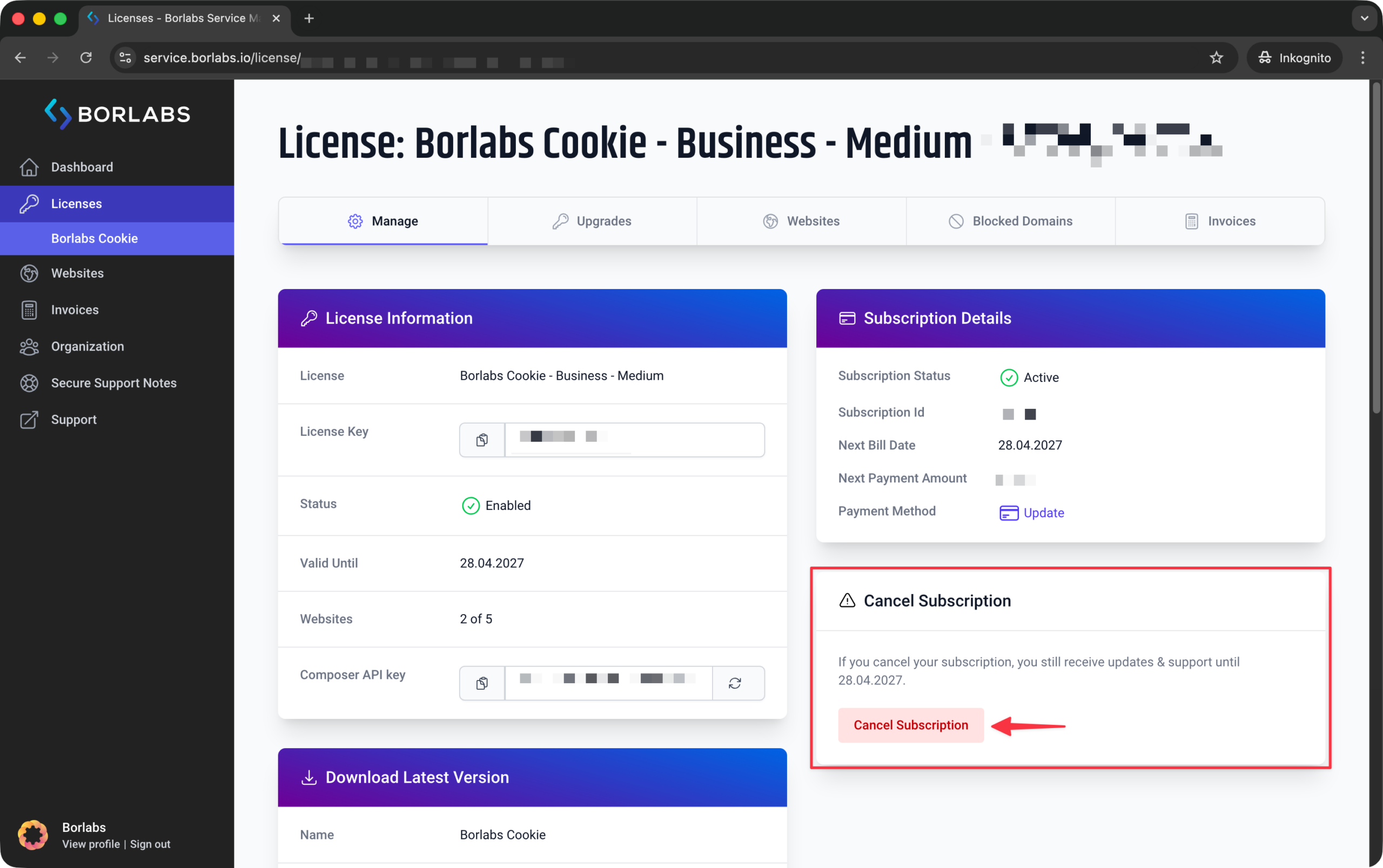
If this option is not visible, either there is no active subscription, the subscription has already been canceled, or you are not logged in as the license owner.