
When attempting to activate a license key, the following message is displayed:
"The licence key is not valid for this domain. Please check the licence key."
This message appears when the domain of your website is listed among the blocked domains for the license. To activate the license, the domain must first be removed from the list of blocked domains.
To do this, log in to the customer portal at https://service.borlabs.io/login.
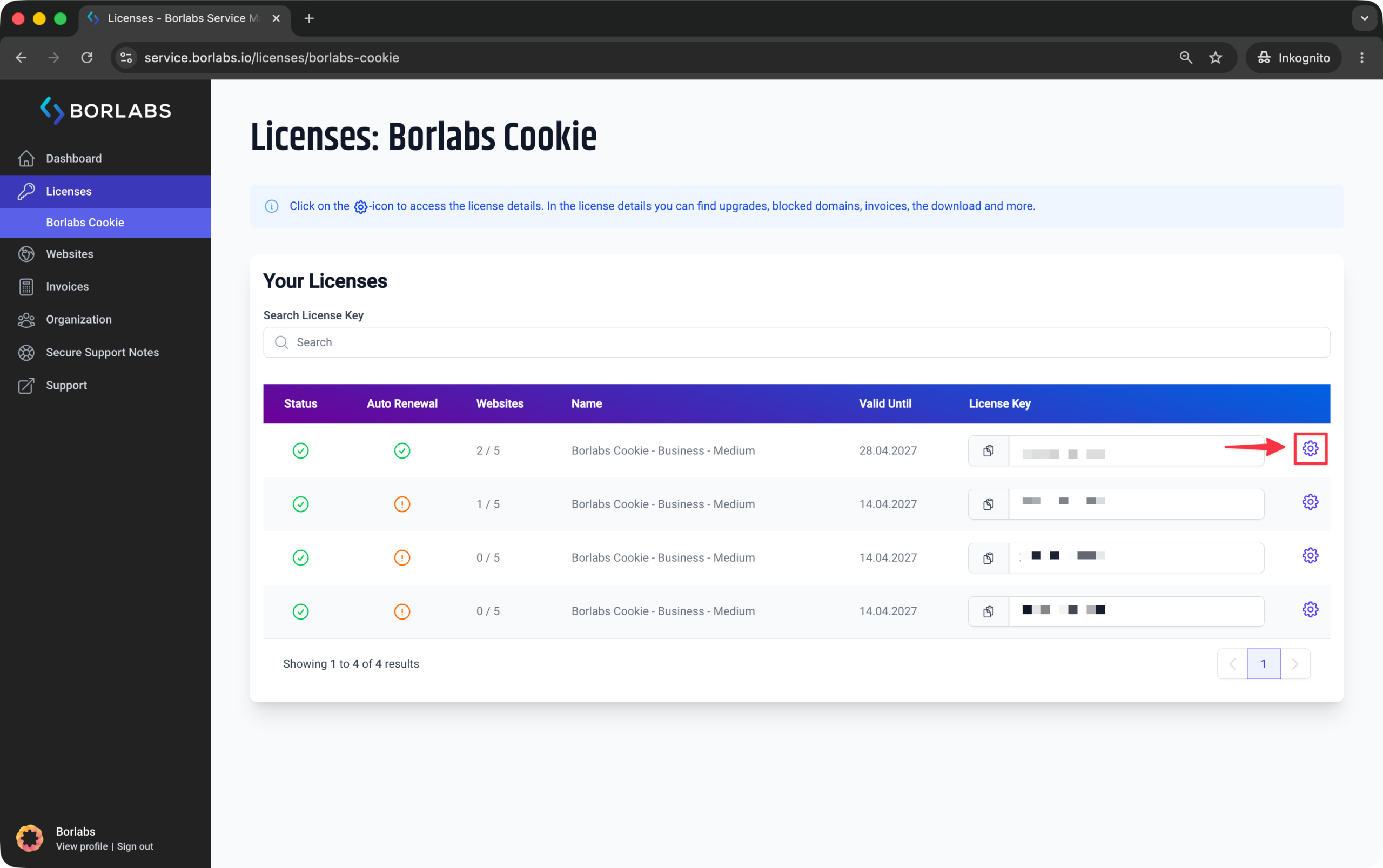
Then click "Licenses" or "Borlabs Cookie" and click the gear icon next to the relevant license.
In the licence details, click the "Blocked Domains" tab at the top.
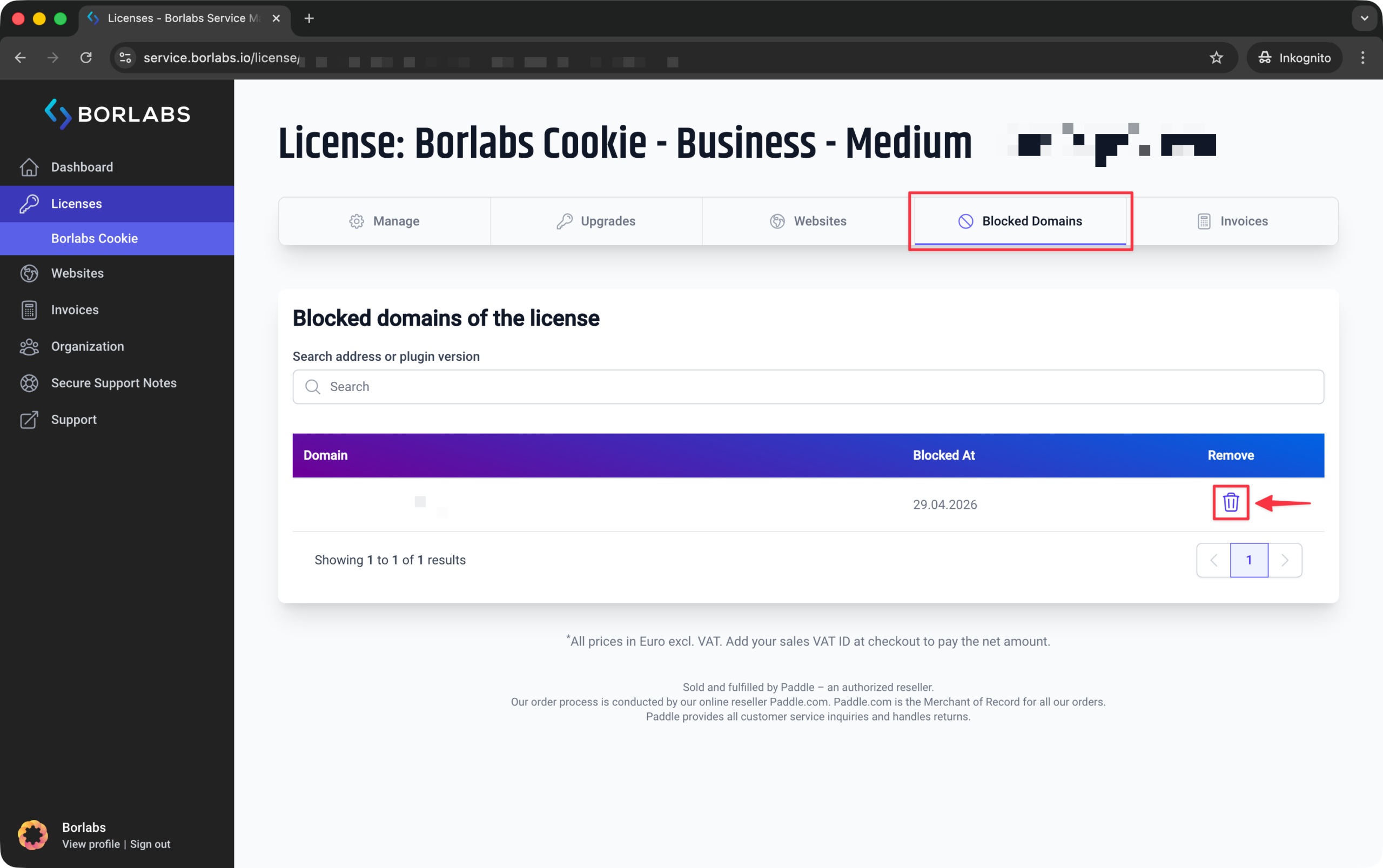
Click the remove icon in the "Remove" column for the domain on which you want to activate the license.
You can then use your license key again and activate the license in your Borlabs installation.