
Cancel subscription

|

Please note that canceling your license will result in the loss of any existing discounts or special pricing conditions, including grandfathered licenses. These benefits cannot be restored once the license has been canceled.

If you choose to reactivate your license in the future, it will only be possible at the prices valid at that time.
Our current pricing can be found on our pricing page.

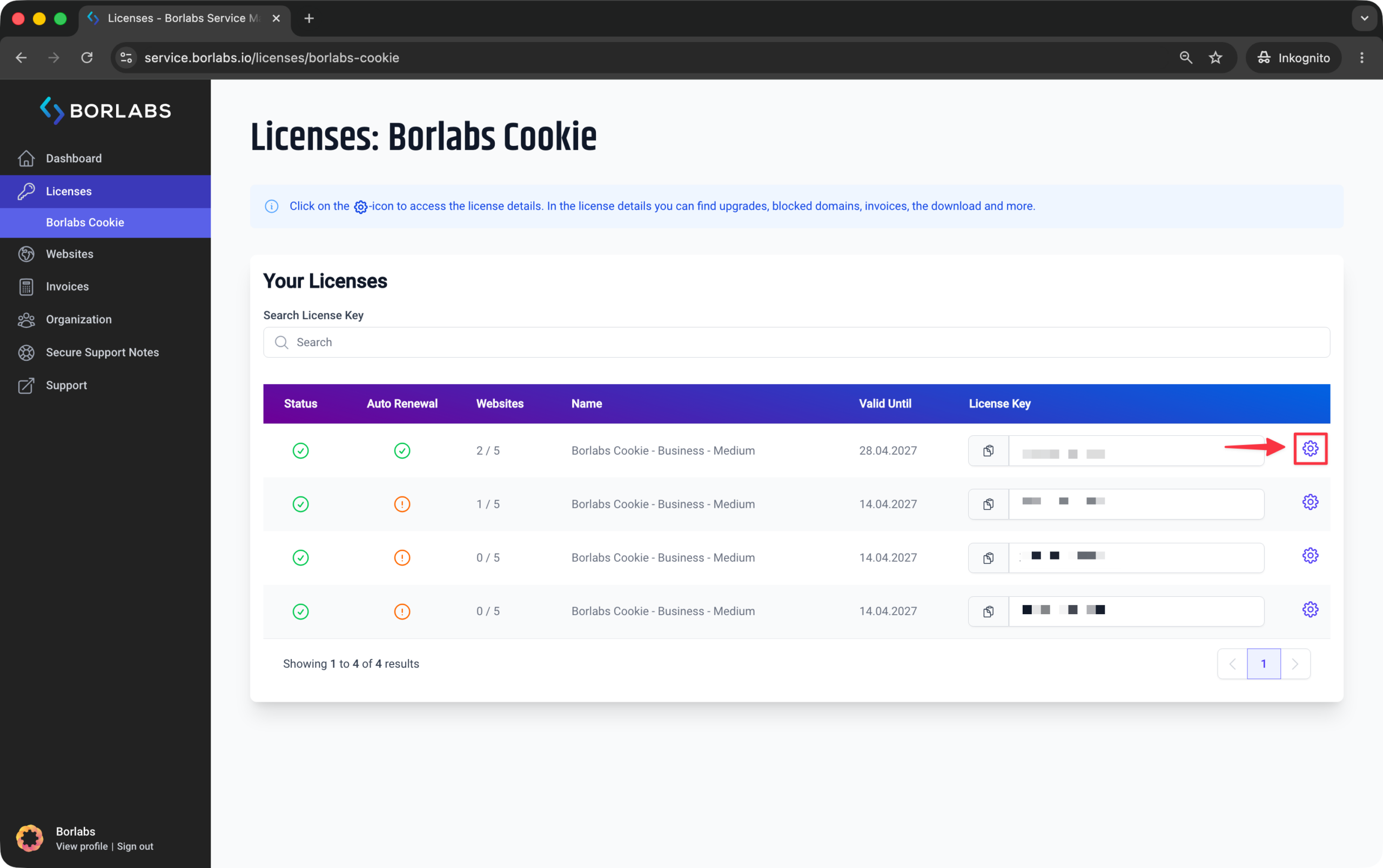
To cancel your subscription, please log in to the customer portal at https://service.borlabs.io/login.

Then navigate to "Licenses" or "Borlabs Cookie" and click the gear icon next to the license you would like to cancel.
In the license details, you will find the option to cancel the subscription.
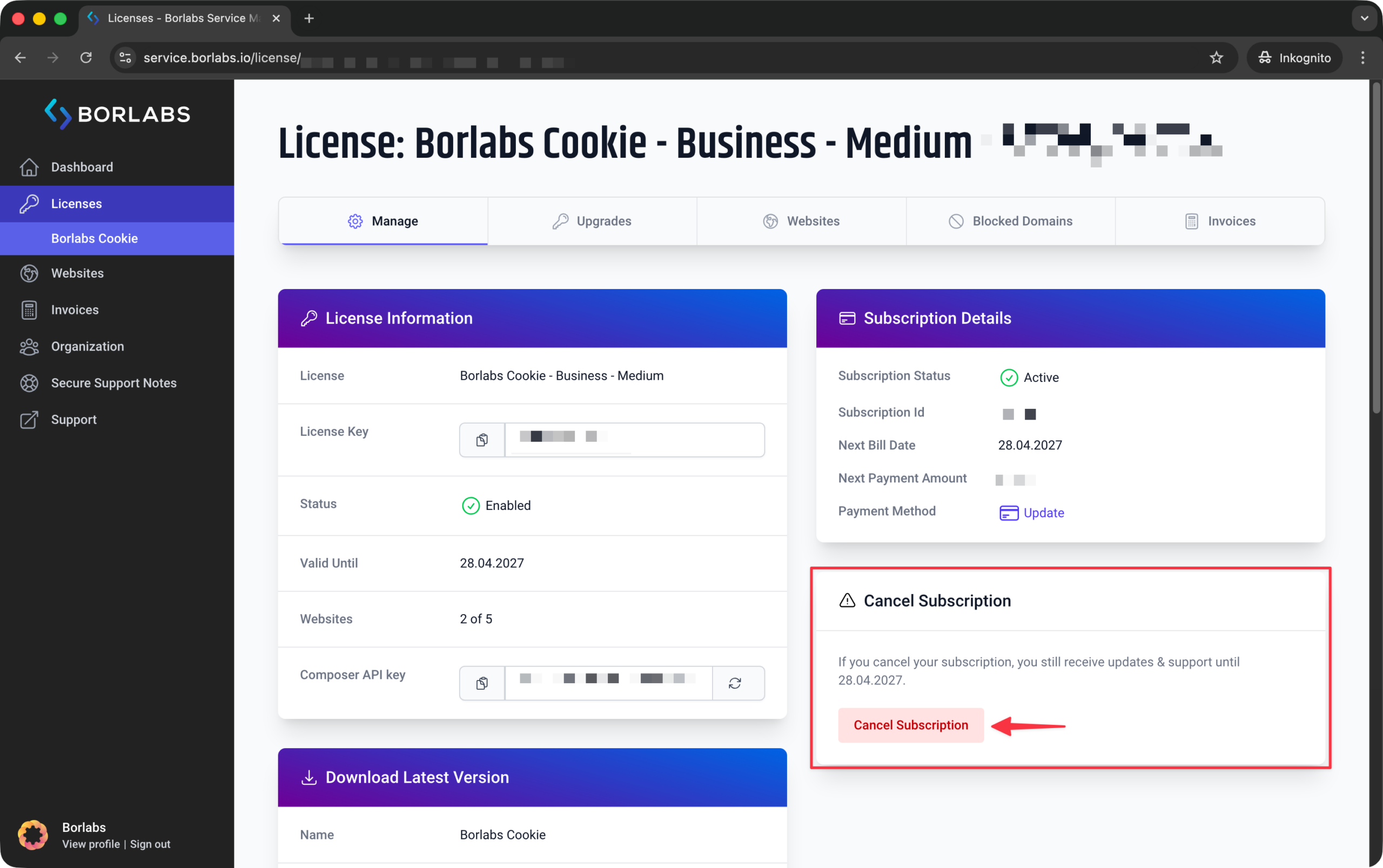
If this option is not visible, either there is no active subscription, the subscription has already been canceled, or you are not logged in as the license owner.

Was this article helpful?

Helpful
Not helpful

Couldn't find the answer you were looking for? We're happy to help.