
To upgrade your license, first log in to the customer portal at https://service.borlabs.io/.
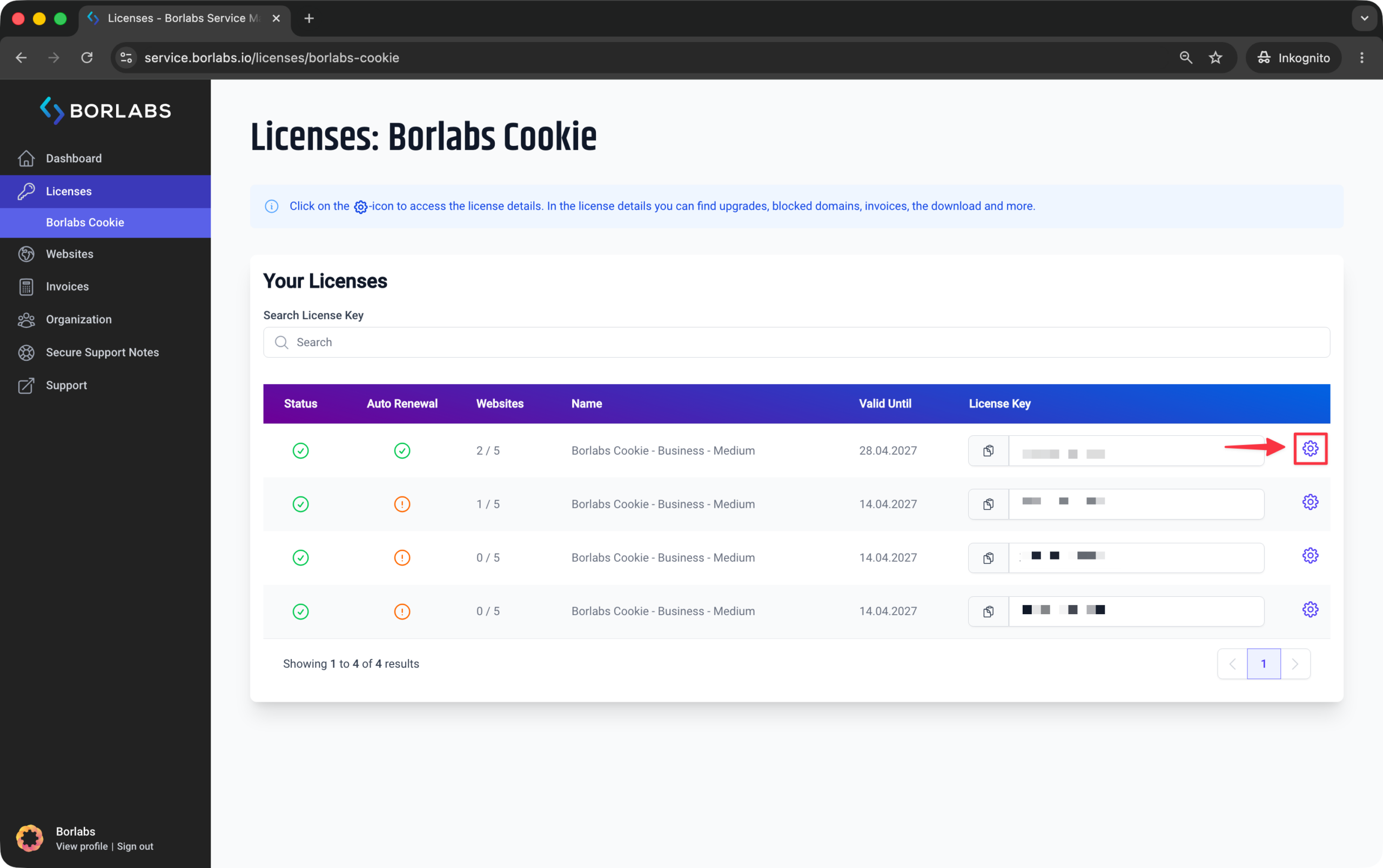
Navigate to "Licenses" or "Borlabs Cookie" and click the gear icon next to the license you would like to upgrade.
Then switch to the "Upgrades" tab at the top and select the license upgrade you would like to purchase.
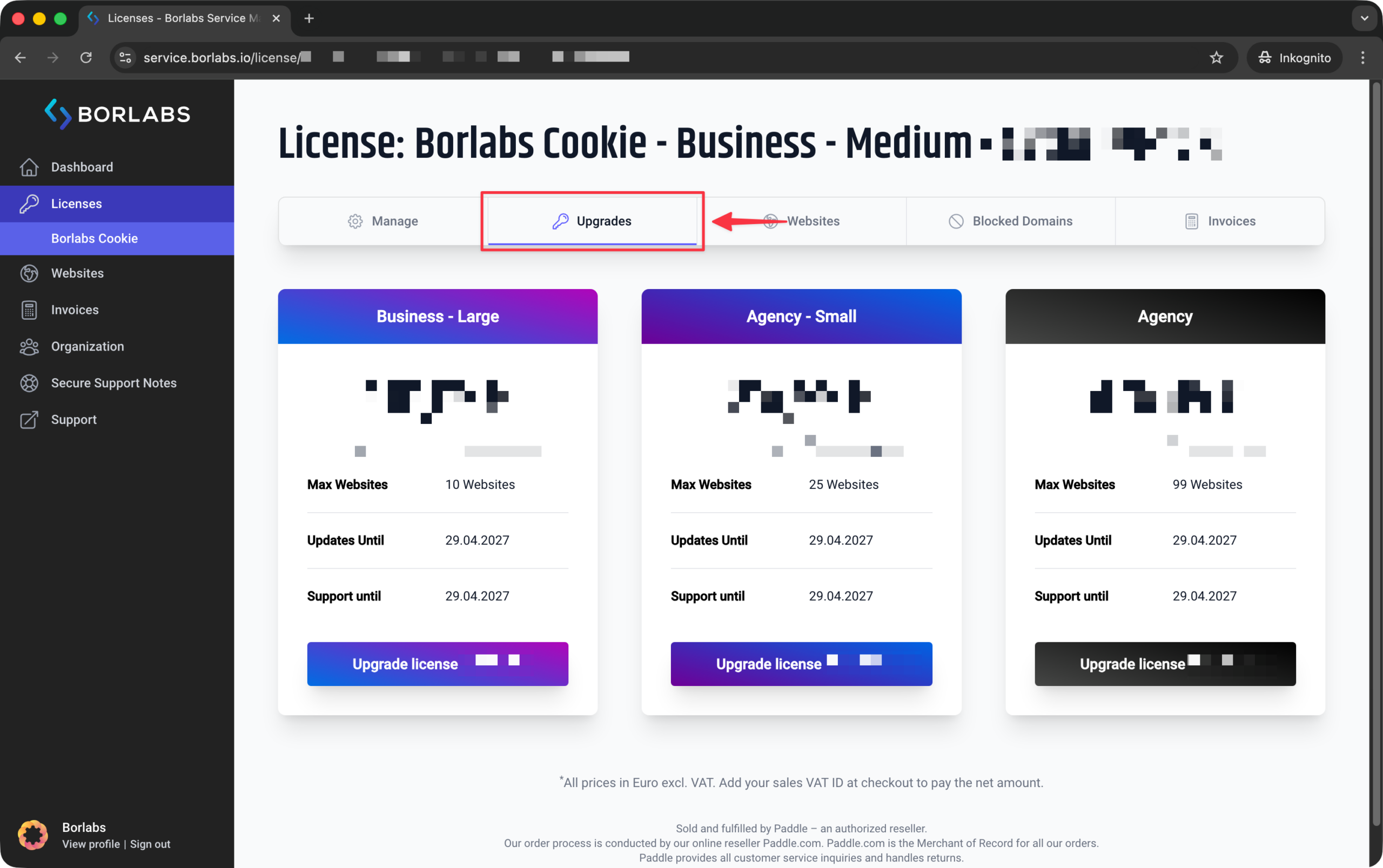
When you upgrade, the remaining term of your current license is applied to the cost of the next higher license.
Your license key will not change, the term will restart on the date of the upgrade, and you will receive 1 year of updates & support.
Please note: Multiple individual licenses cannot be merged into a single higher-tier license.