
What is IAB TCF?
The IAB Transparency and Consent Framework (TCF) is a technical standard for the digital advertising industry. It is designed to help all participants in the digital advertising supply chain comply with the General Data Protection Regulation (GDPR) and the ePrivacy Directive when processing personal data or accessing and/or storing information on a user's device, such as cookies, advertising identifiers, device identifiers, and other tracking technologies.
Enable IAB TCF
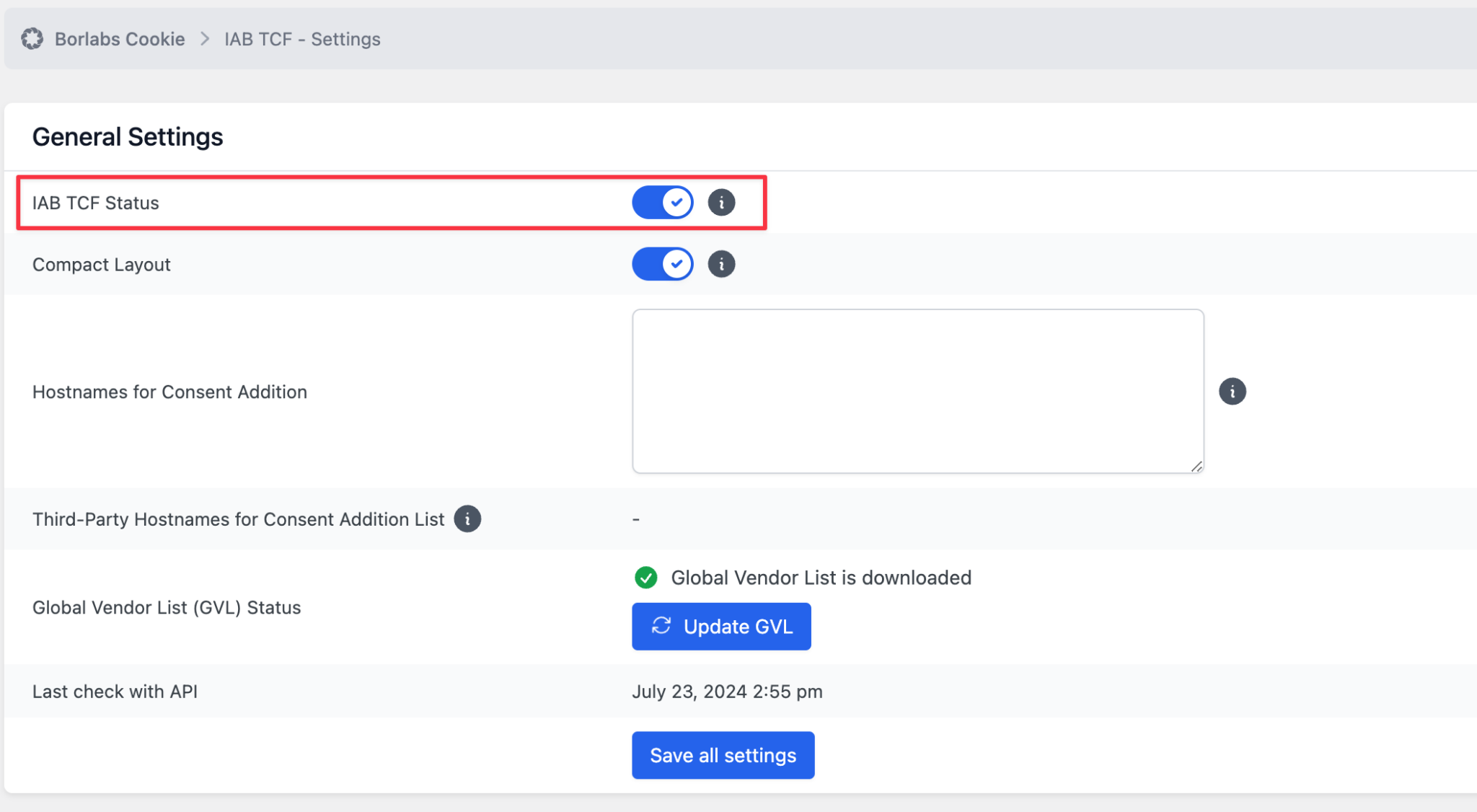
In Borlabs Cookie, navigate to "Consent Management" → "IAB TCF" → "Settings" and enable "IAB TCF Status".
You may also enable "Compact Layout (BETA)", as it provides a better user experience, especially on smaller screens.
After saving your settings, make sure that "Global Vendor List (GVL) Status" displays the message: "Global Vendor List has been downloaded".
Configure Vendors
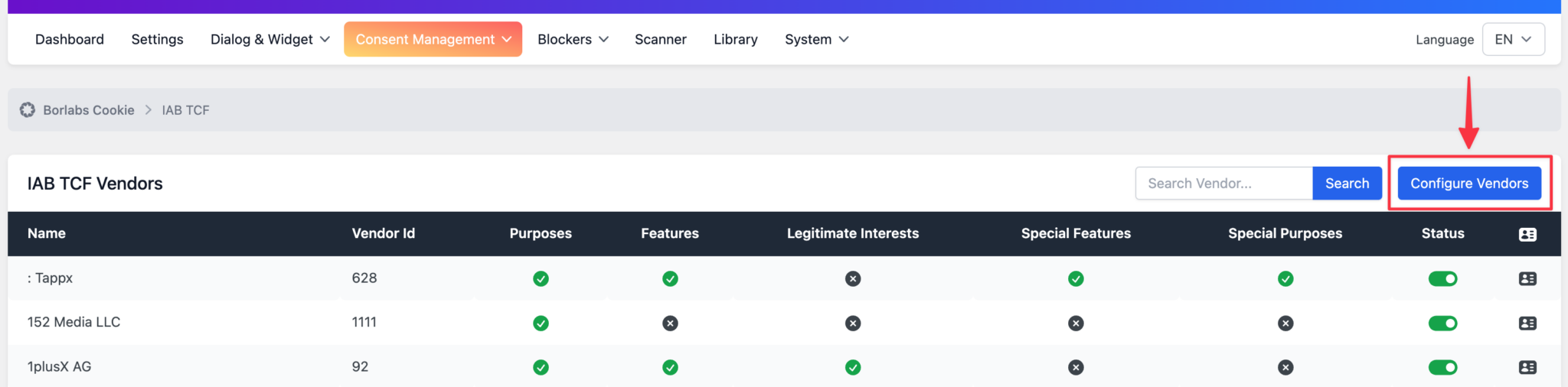
Click "Consent Management" → "IAB TCF" → "Configure Vendors" and then click the "Configure Vendors" button.
No Advertising via Google AdSense
If you do not use Google AdSense, you should contact the provider responsible for managing and monetizing the advertising inventory on your website. Ask them which "Purposes", "Features", "Special Features", and "Special Purposes" need to be enabled, or which Vendor IDs should be configured.
Advertisement via Google AdSense
If you use Google AdSense, enable purposes 1, 2, 3, 4, 7, 9, and 10 under "Purposes", as described in the Google documentation https://support.google.com/adsense/answer/9461778?hl=en.
Under "Features", enable 1, 2 and 3.
Under "Special Features", enable 1 and 2.
Finally, under "Special Purposes", enable 1 and 2.
Then click "Save All Settings".
This will activate approximately 700 vendors, which matches the requirements of the AdSense network.
Google will automatically detect the use of the TCF after some time.
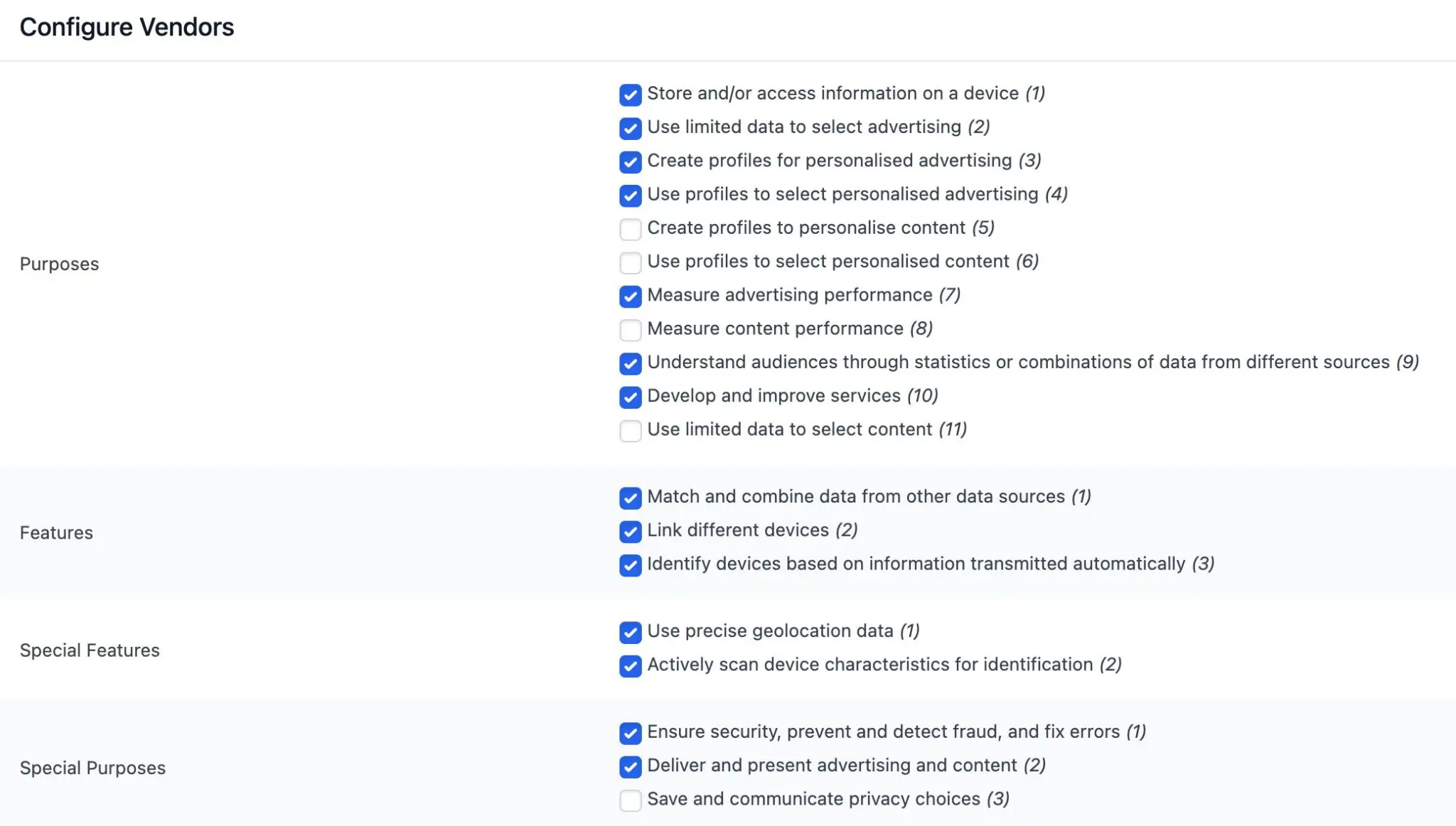
All vendors that have declared the selected "Purposes", "Features", "Special Features" and "Special Purposes" will now be enabled.
Important Notice
When using the IAB TCF, Borlabs Cookie inserts the file borlabs-cookie-tcf-stub.min.js into the <head> section of your WordPress website.
It is extremely important to ensure that this file is not modified in any way by caching plugins, JavaScript optimization plugins, or similar tools.
The file must be placed in the website's <head> section and must not be loaded with any delay or modified in any way.
The <script> tag that loads this file must not be modified under any circumstances.
Any deviation from these requirements may prevent advertisements from being delivered correctly.