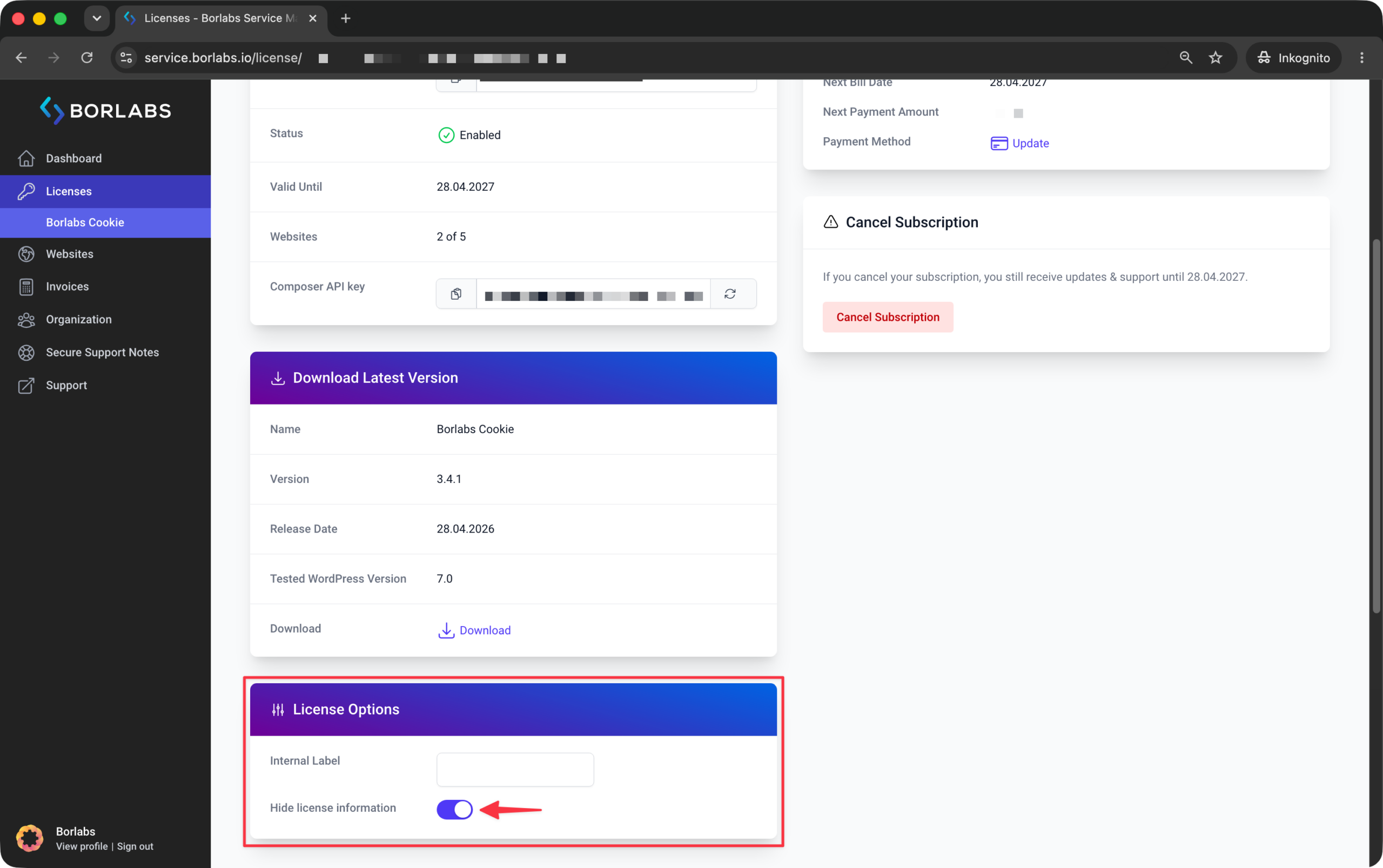
In some situations, it may be desirable to hide license information, such as the license term and related details, from the WordPress admin area. This is particularly useful for agencies and service providers who use their own licenses for client websites and do not want clients to have access to license-related information.
You can hide license information displayed in the WordPress backend through our customer portal at https://service.borlabs.io/login.
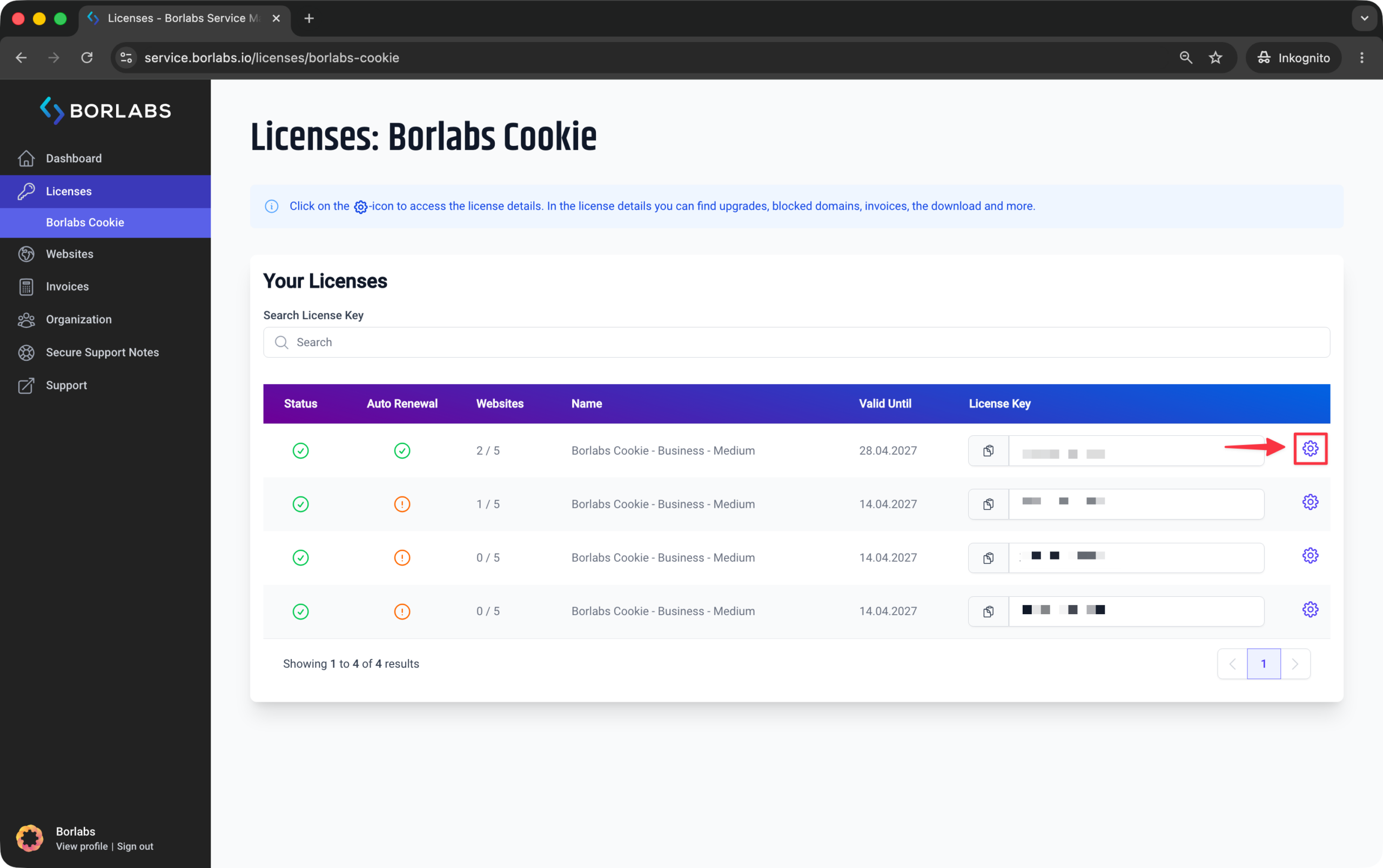
To do so, click "Licenses" or "Borlabs Cookie" and then click the gear icon next to the relevant license.
In the "License Options" section, enable the "Hide license information" option.