
To downgrade your licence, please cancel your subscription. Once the cancellation has been processed, we can change your license, and you can then reactivate it.
Before requesting a downgrade, please ensure that the number of websites connected to your license does not exceed the number included in the license you want to switch to. If more websites are currently connected, you must remove the excess websites first.
To cancel your subscription and remove websites, please log in to the customer portal at https://service.borlabs.io/login.
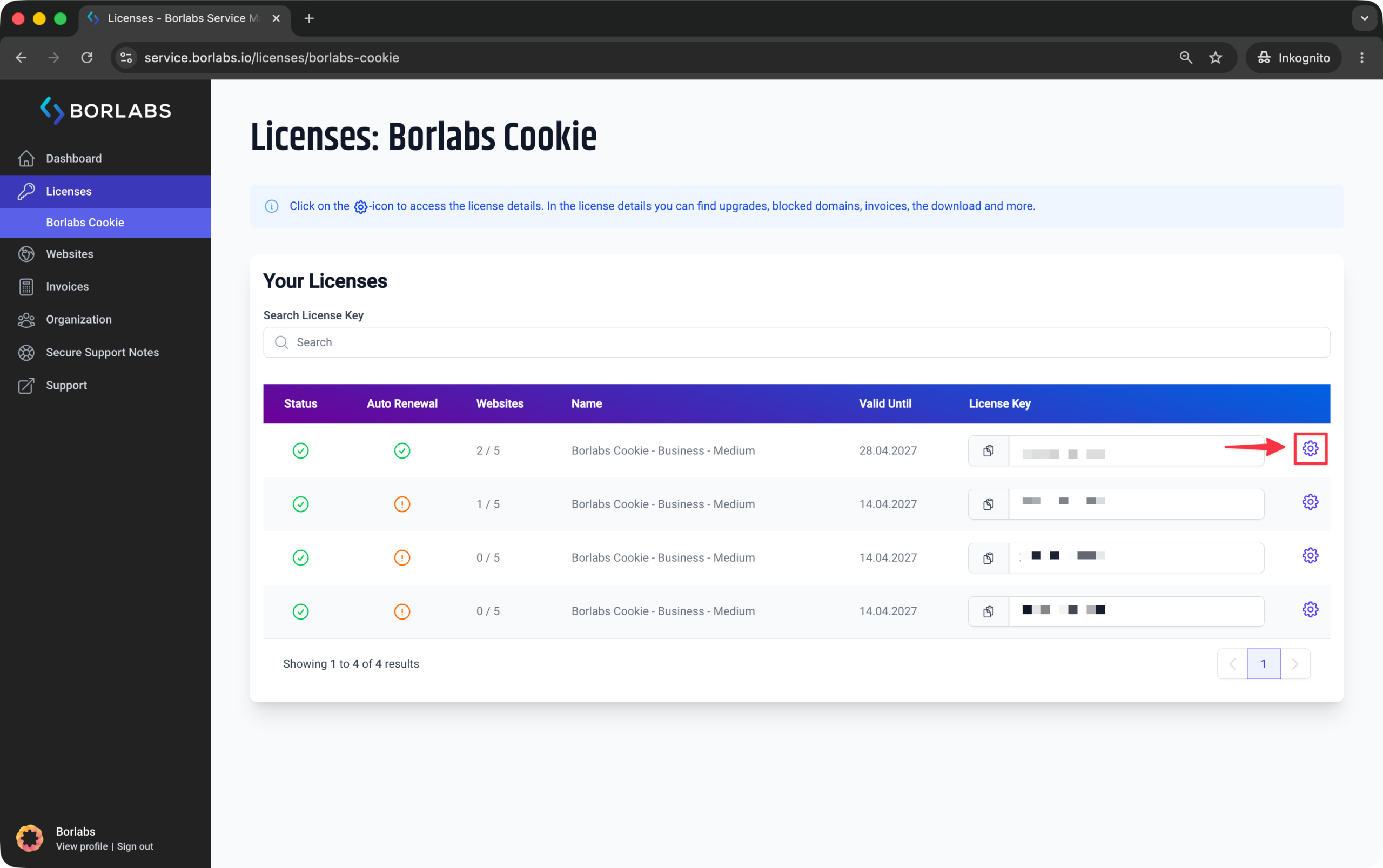
Then click "Licenses" or "Borlabs Cookie" and select the gear icon for your license.
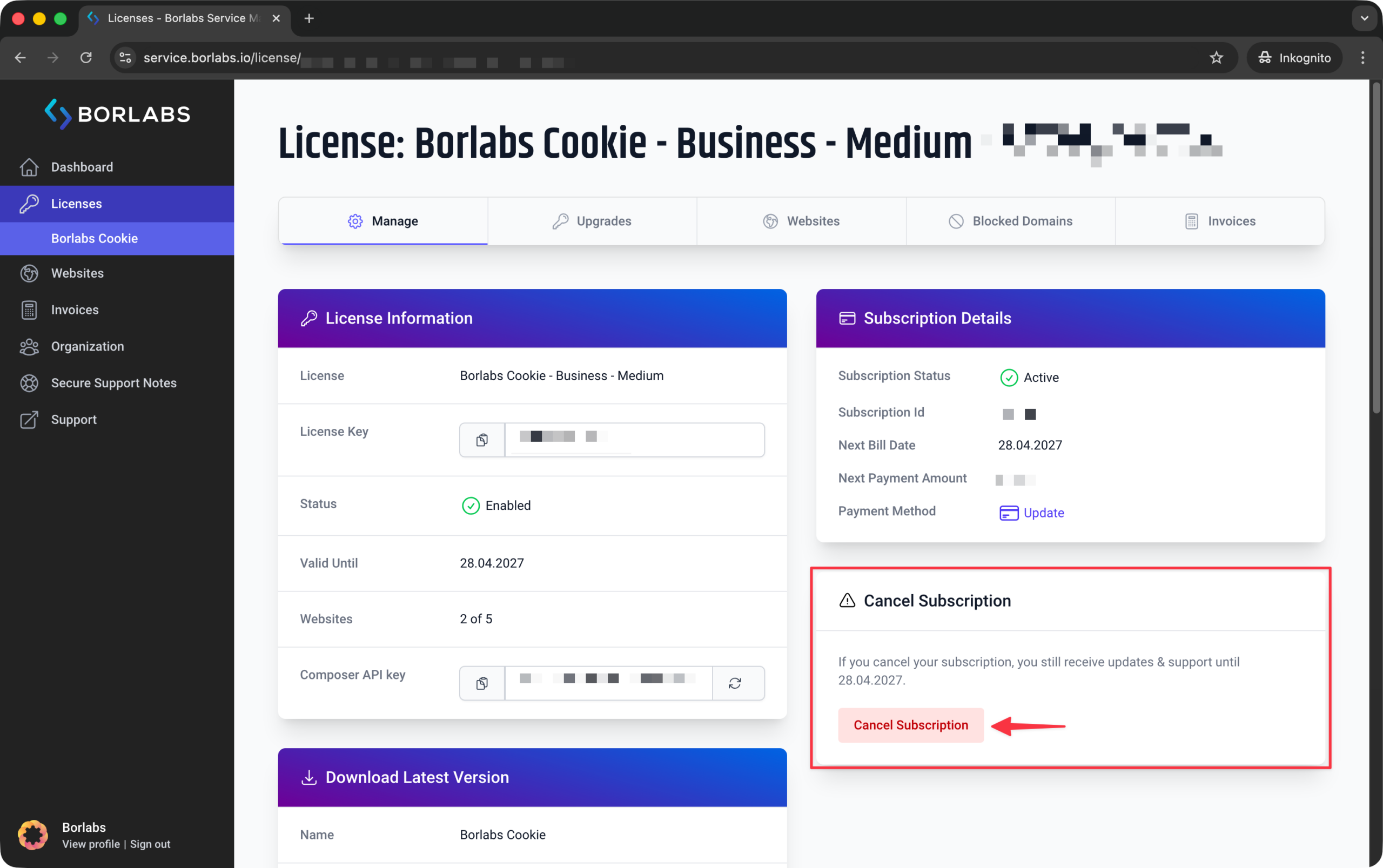
You can cancel your subscription here.
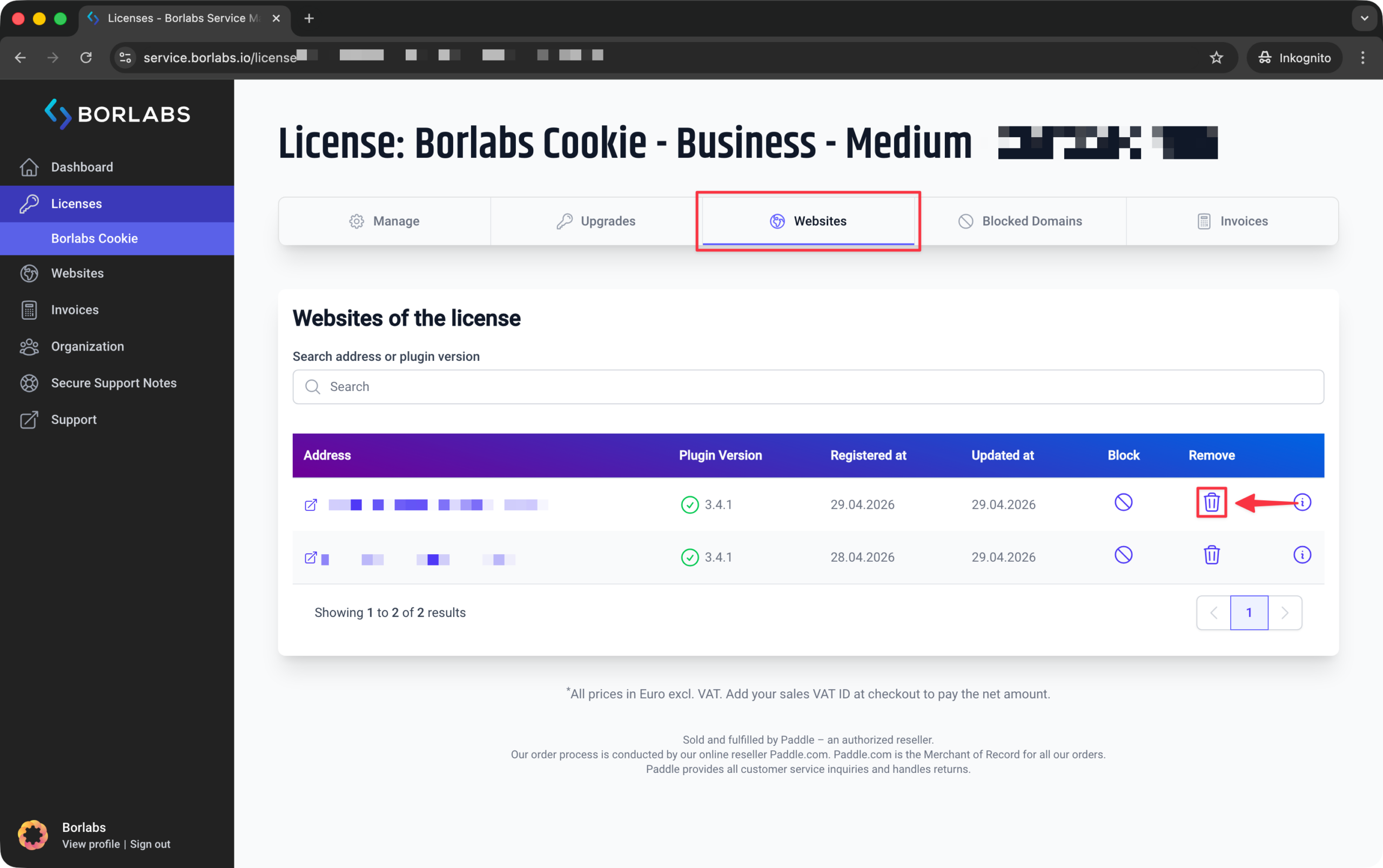
Next, open the "Websites" tab at the top.
There, click the icon in the "Remove" column for each website you want to remove.
Once you have canceled the license and reduced the number of connected websites accordingly, please contact support. We will then adjust your license, after which you can reactivate it.