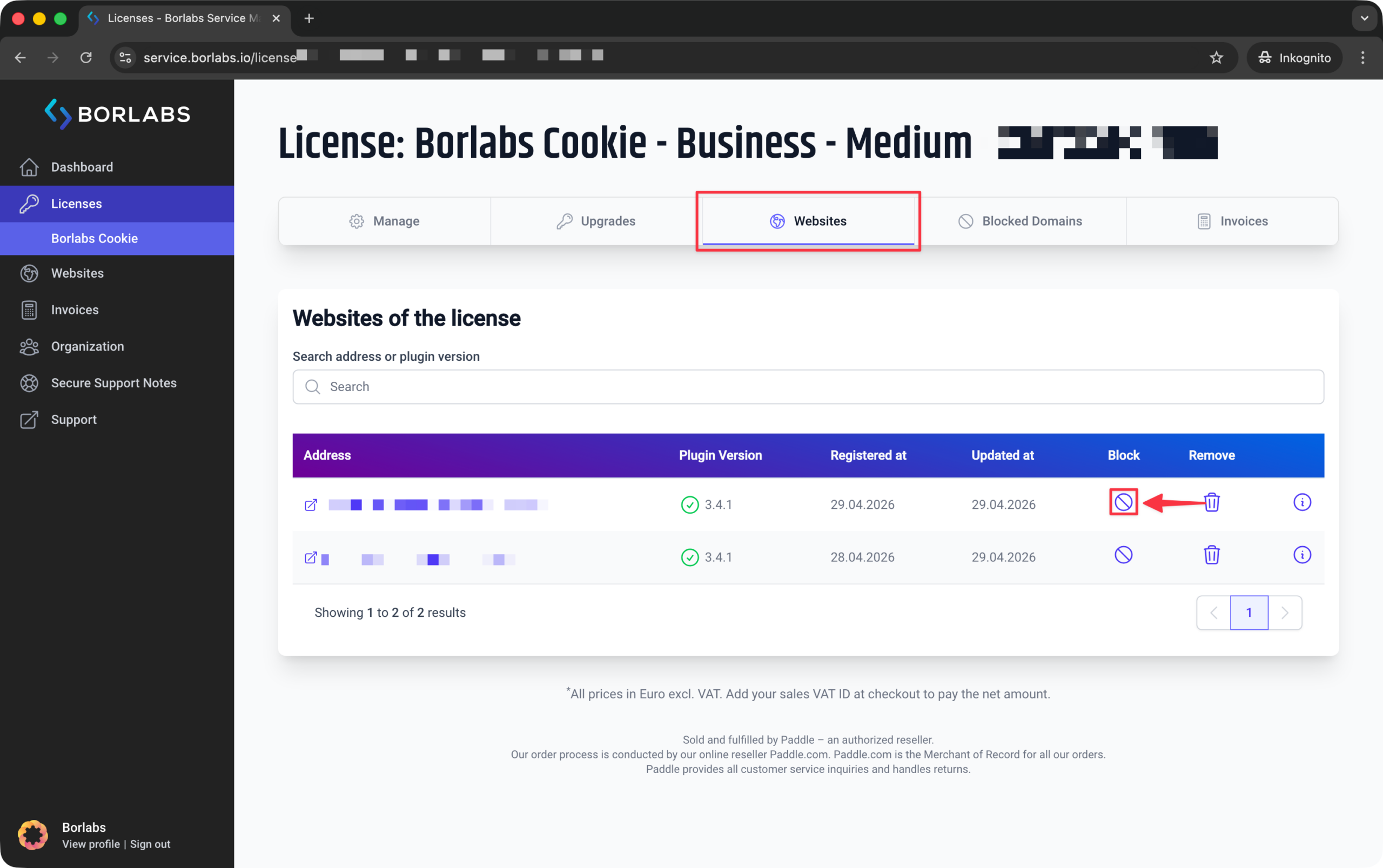
Use the "Block" function only if the domain, including all of its subdomains (such as "www"), should no longer be used with your license.
When a domain is blocked, it is locked and cannot be registered again. For example, if the website "www.customer-site.example" is registered and you block the domain, no related subdomains such as "customer-site.example" or "shop.customer-site.example" can be registered afterwards either.
Blocking a domain is particularly useful if you no longer have access to the website and are therefore unable to remove the license key from that installation.
To block websites, log in to our customer portal at https://service.borlabs.io/login.
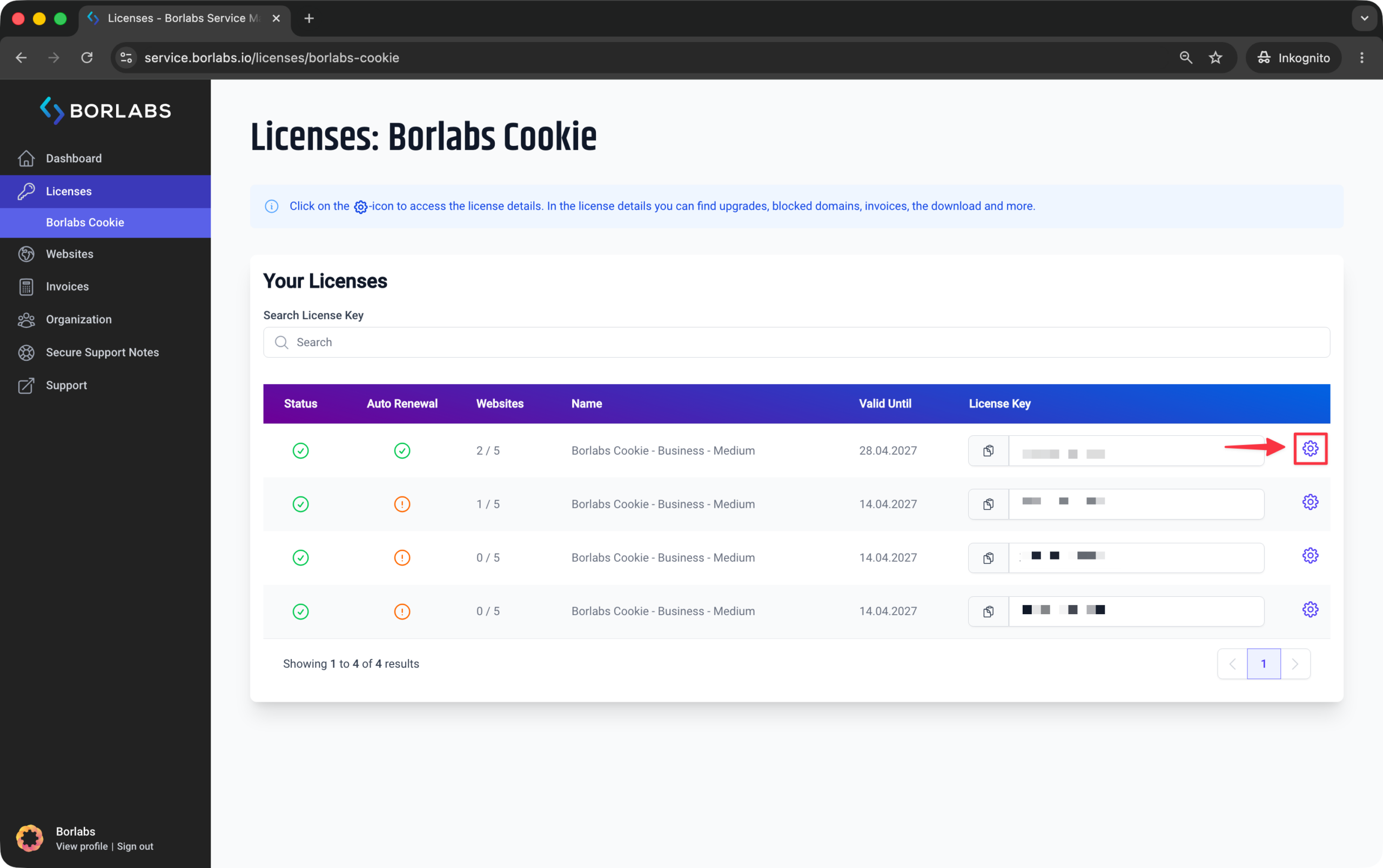
Then click on "Licences" or "Borlabs Cookie" and click the gear icon for the relevant license:
In the license details, open the "Websites" tab. This tab lists all websites and URLs currently using the license.
There, click the icon in the "Block" column.