
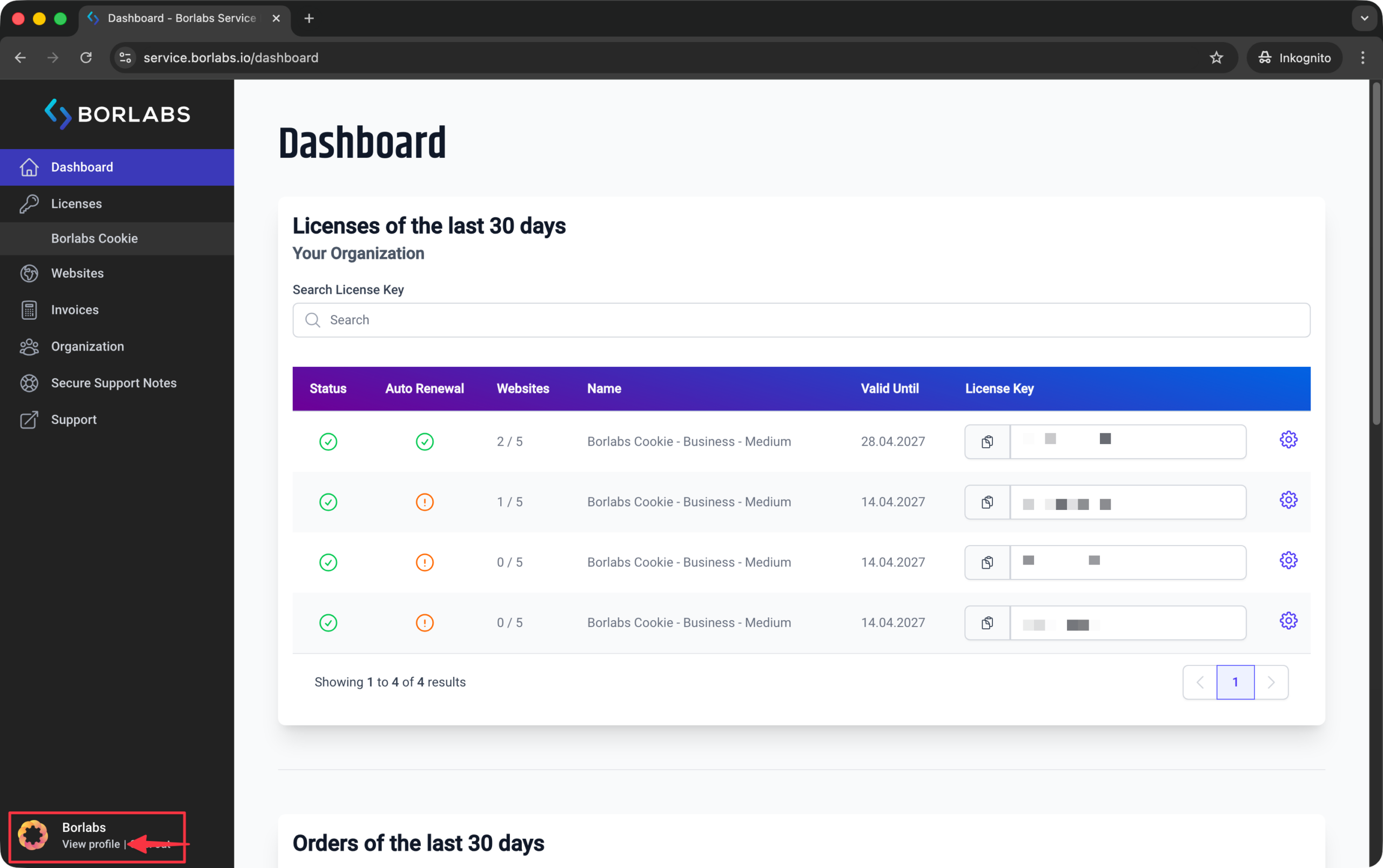
To change your email address, please log in to the customer portal: https://service.borlabs.io/.
Then click "View Profile" in the bottom-left corner.
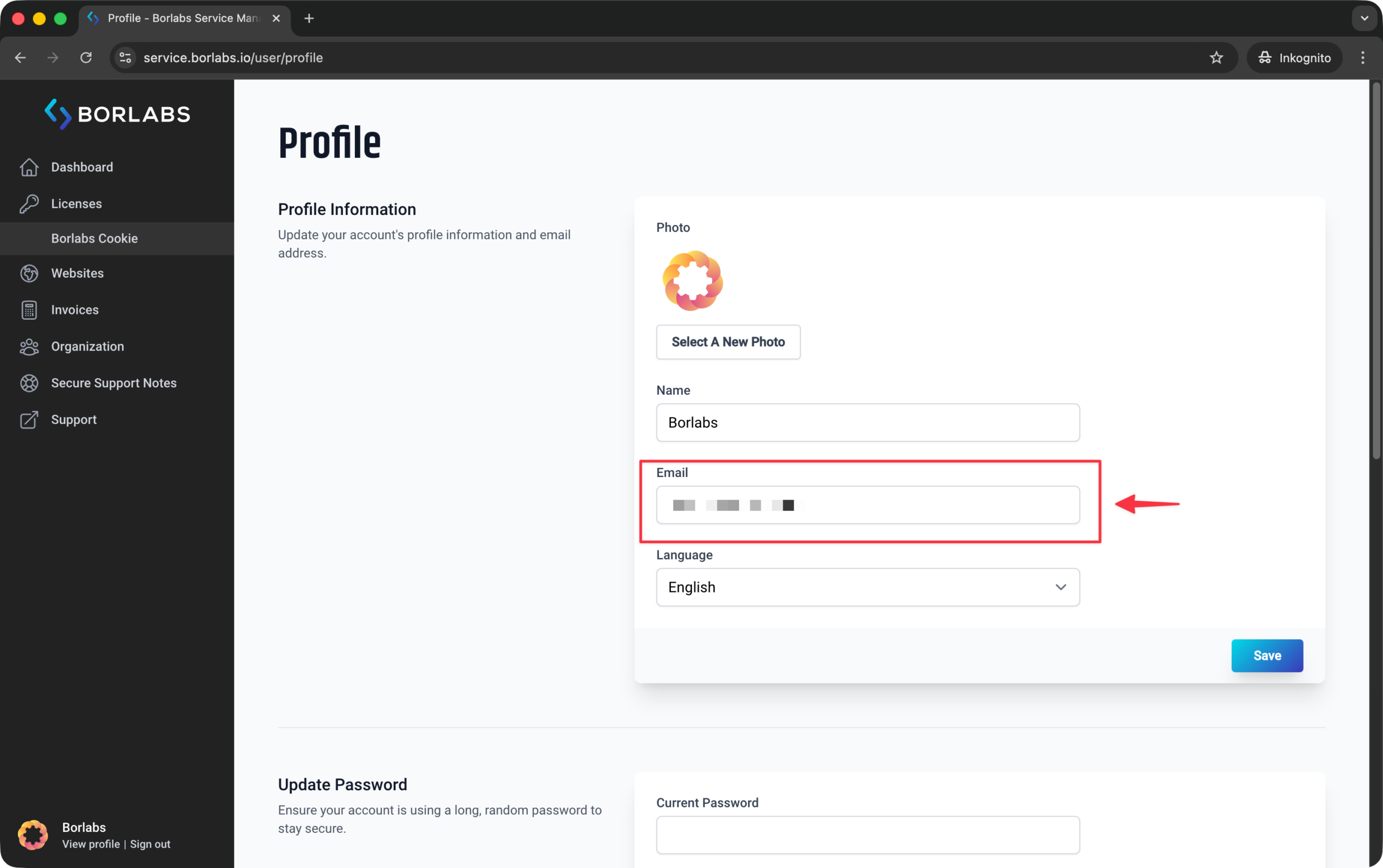
Under "Profile Information", you can update your email address.
If you own licenses, they are linked to your Borlabs Service account and therefore to your email address. For this reason, it is not possible to assign a separate email address to an individual license or transfer a single license to another person.
If you have purchased multiple licenses using different email addresses and would like to merge them into a single account, please contact support.