

Introduction
Version 3.4 is now available and introduces the highly anticipated Setup Assistant, along with several improvements that make Borlabs Cookie even easier and more flexible to use. In addition to ongoing plugin updates, the Borlabs Cookie Library continues to grow and evolve. It now includes an impressive 350 packages, with new packages being added regularly and existing ones continuously enhanced with additional features.
Setup Assistent
The "Setup Assistant" makes setting up Borlabs Cookie much easier and faster. It offers three different setup options which are explained in more detail below.
Quick Setup
With "Quick Setup", Borlabs Cookie is configured automatically. All settings are designed for safe and reliable use.
Recommended and required packages are installed automatically to ensure compatibility with the active theme and installed plugins.
Links to the Privacy Policy and Legal Notice required within the consent dialog are detected and configured automatically.
If a multilingual plugin is in use, the language switcher is also configured automatically.
Custom Setup
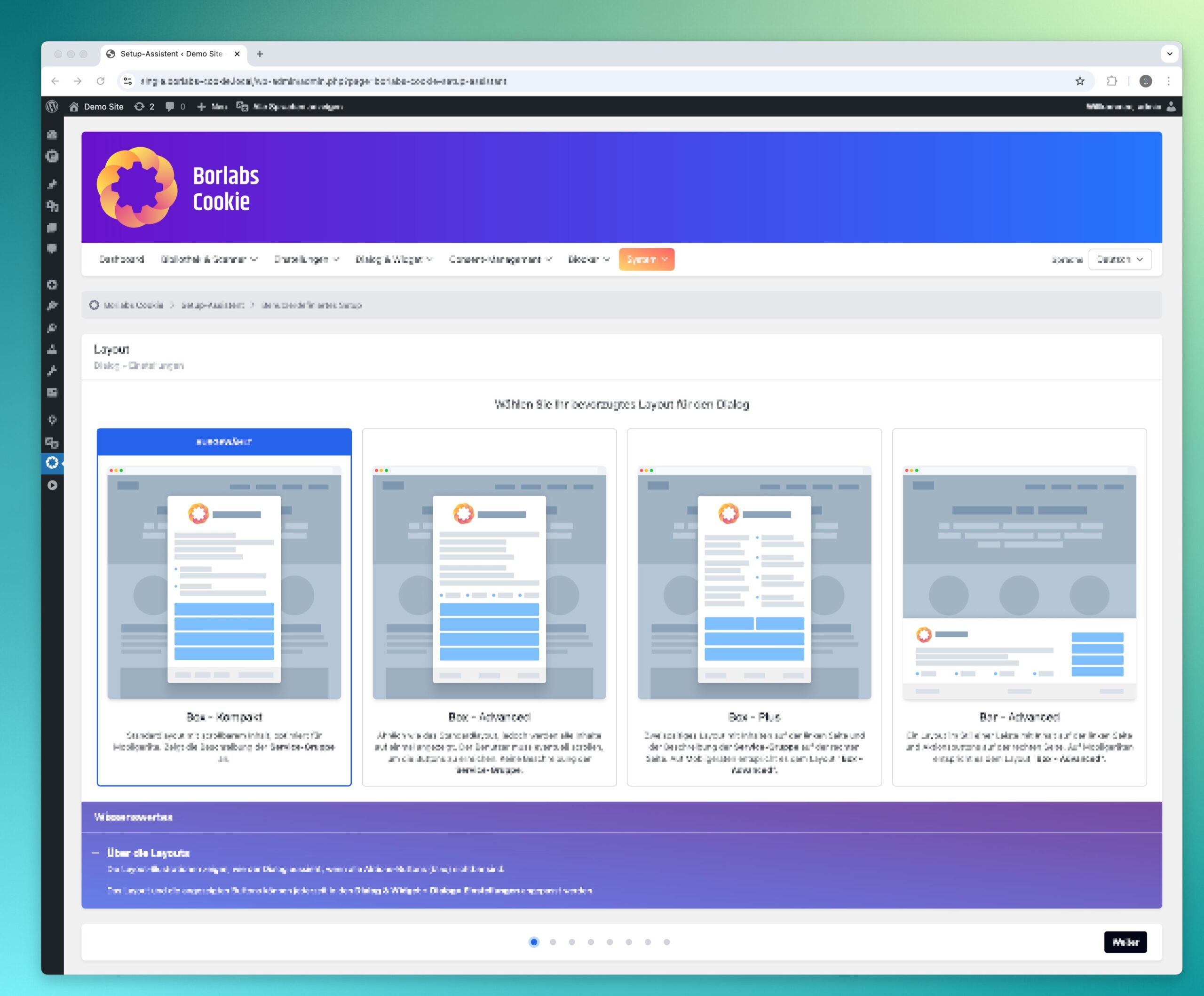
In addition to the "Quick Setup" option, the "Custom Setup" provides access to additional configuration settings.
These include layout preferences, color schemes, logo integration, and language switcher configuration.
The detected Privacy Policy and Legal Notice links are displayed for review to ensure they are correct.
You can also choose whether to display all settings or only essential settings, as well as whether the admin sidebar should show all menu items, commonly used menu items, or only essential entries.
Guided Setup
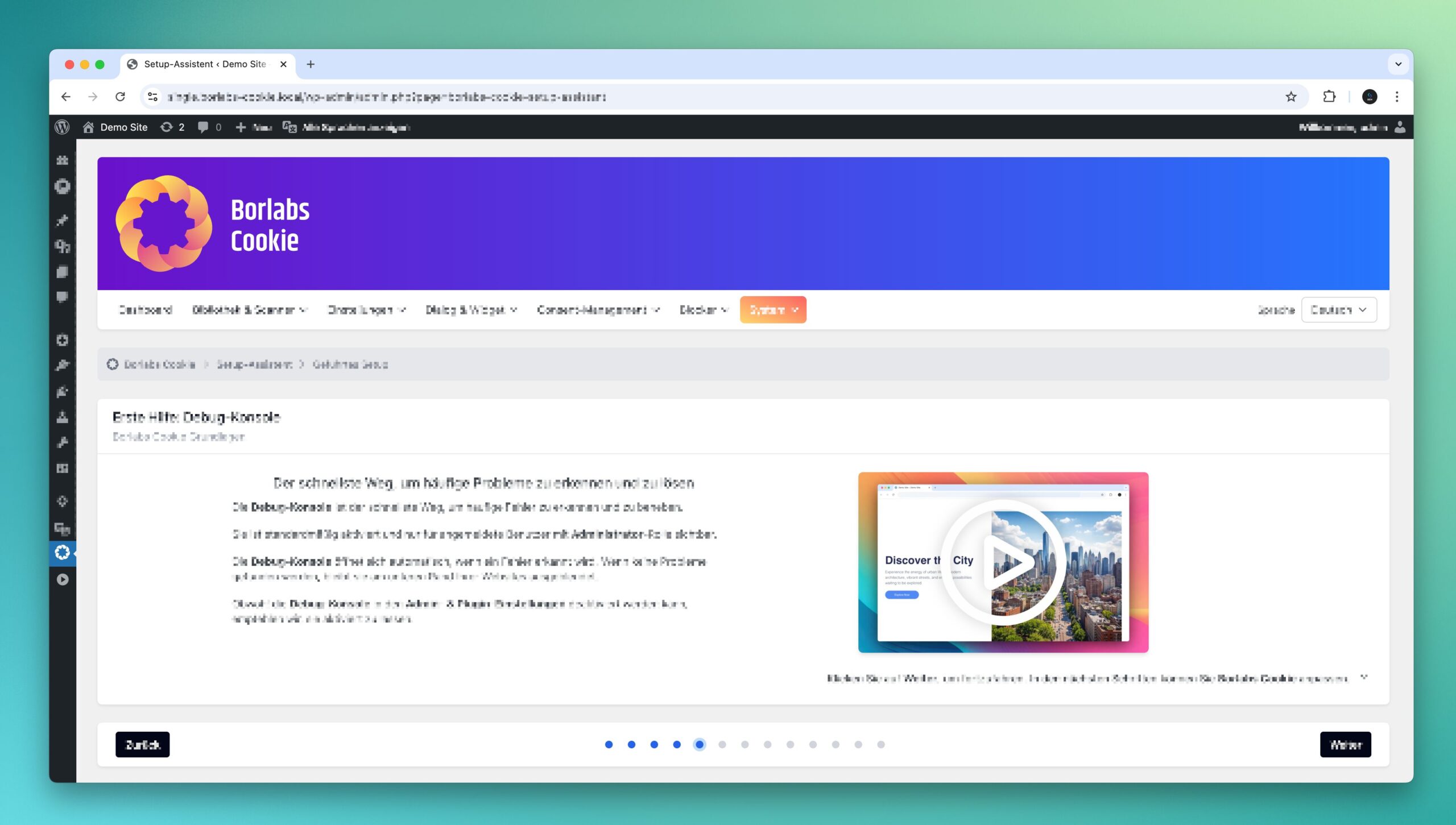
The "Guided Setup" includes all features available in the "Custom Setup" while also introducing the core concepts of Borlabs Cookie. It provides helpful guidance on where to find additional information and resources.
In addition, it highlights common troubleshooting steps that can often help resolve issues quickly and efficiently.
Simplified views for easier management
The new "Admin & Plugin Settings" page introduces two new options: "Display Mode of Settings" and "WordPress Admin Sidebar Menu Mode". These settings allow you to tailor Borlabs Cookie to your individual needs.
Display Mode of Settings
he "Standard" and "Simplified" options allow you to define how many settings are displayed. "Simplified" is intended for non-technical users, while "Standard" is designed for advanced or technical users who require full control.
WordPress Admin Sidebar Menu Mode
The "Simplified", "Standard", and "Expanded" options allow you to adjust the scope of the sidebar menu in the WordPress admin area. "Simplified" displays only essential menu items, "Standard" provides the most frequently used settings."Expanded" displays all menu items and matches the navigation structure of previous Borlabs Cookie versions.
Safe Mode
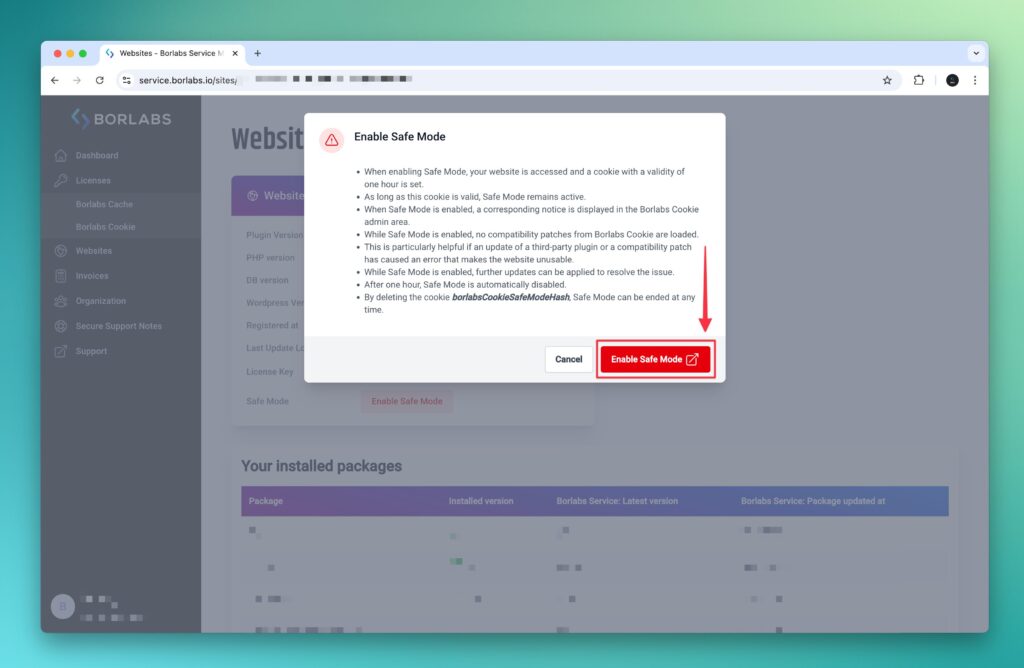
"Safe Mode" can be used to restore a website. In this mode, Borlabs Cookie compatibility patches are not loaded. This is particularly useful if an update of a third party plugin or a compatibility patch has caused an error that makes the website unusable.
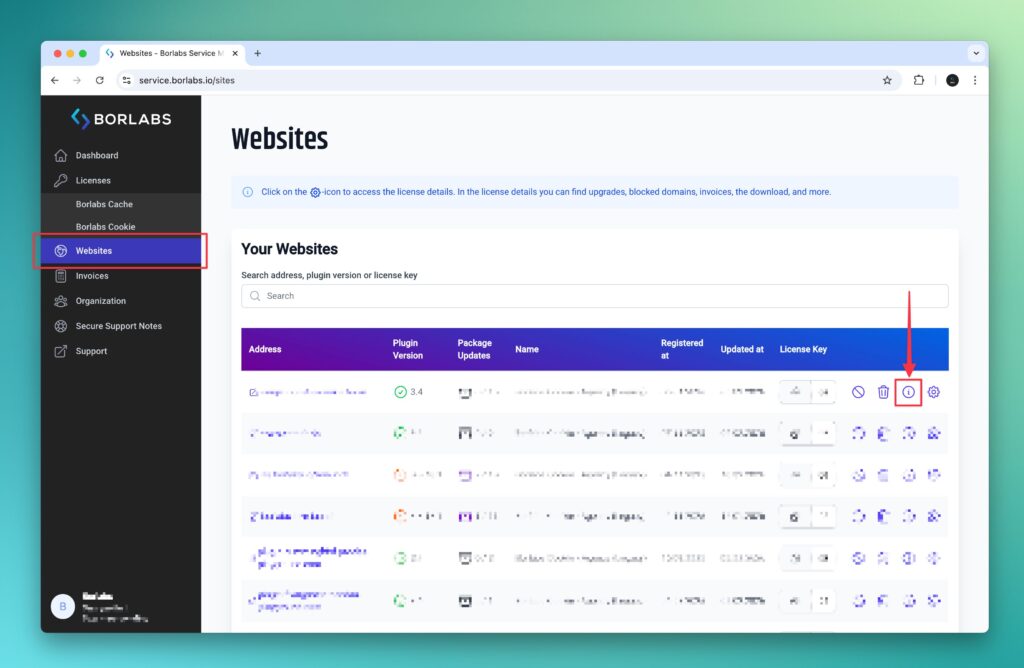
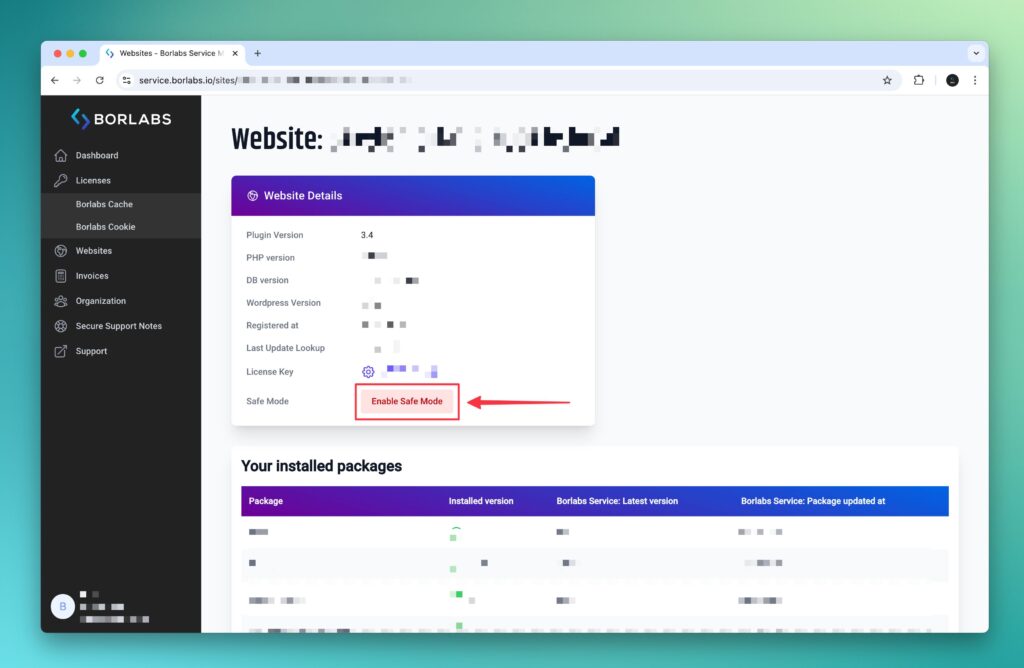
"Safe Mode" can be enabled for all users via the BORLABS_COOKIE_ENABLE_SAFE_MODE PHP constant or conveniently for a specific user through a link in the customer portal. When activated through the customer portal link, Safe Mode remains active for a maximum of one hour. It can be ended earlier by deleting the borlabsCookieSafeModeHash cookie.
Additional improvements and more
Settings reorganized
The "Settings" page has been renamed to "General Settings" and is now available as a submenu item under "Settings".
The "Display Meta Box" and "Clear Third-Party Cache" options have been moved to the new "Admin & Plugin Settings" page and no longer need to be configured per language.
The remaining settings have been reorganized into the sections "General Settings", "Consent Settings" and "Cookie Settings".
Navigation updated
The horizontal navigation of Borlabs Cookie has been redesigned to place a stronger focus on the core, the library and the scanner.
The "Settings" menu now includes two submenu items: "General Settings", which contain the settings previously found under "Settings", and "Admin & Plugin Settings".
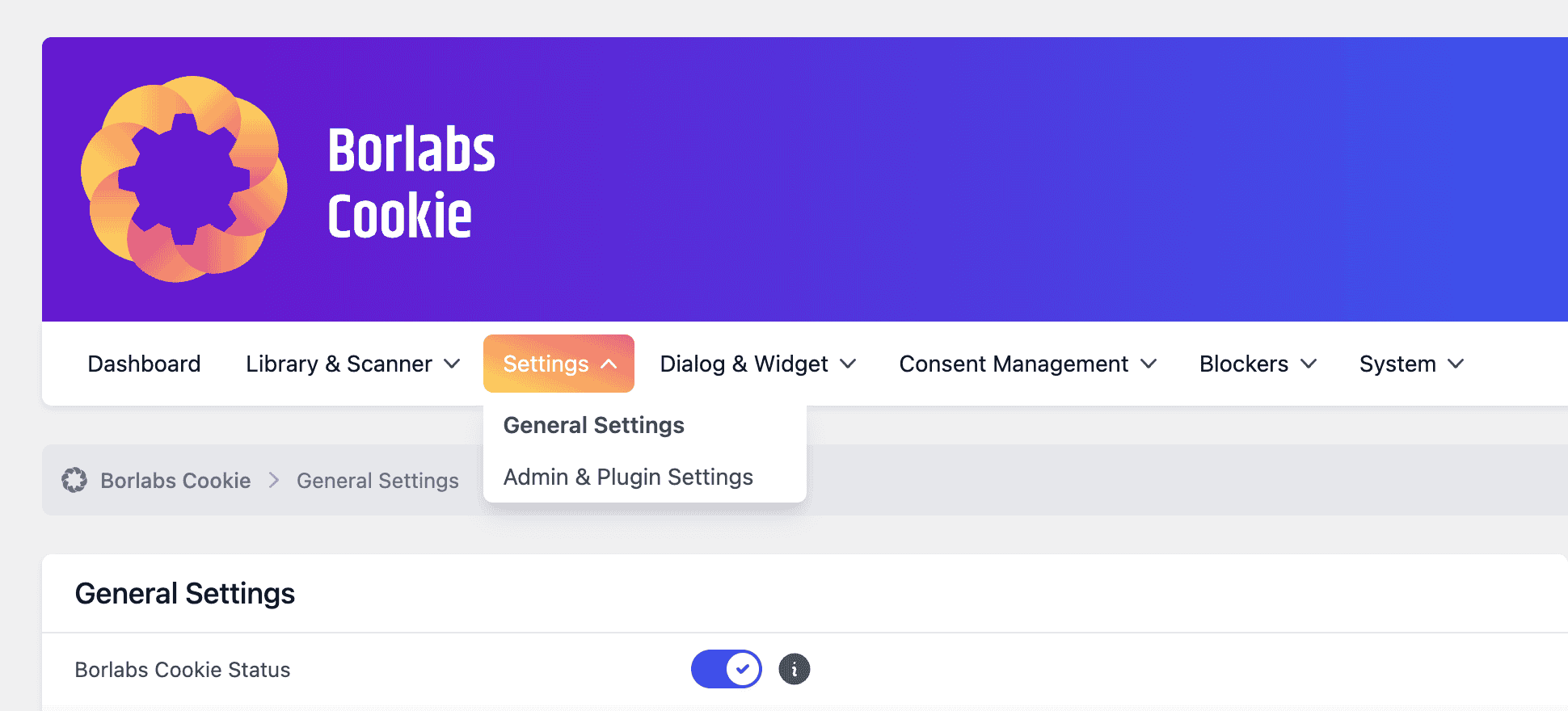
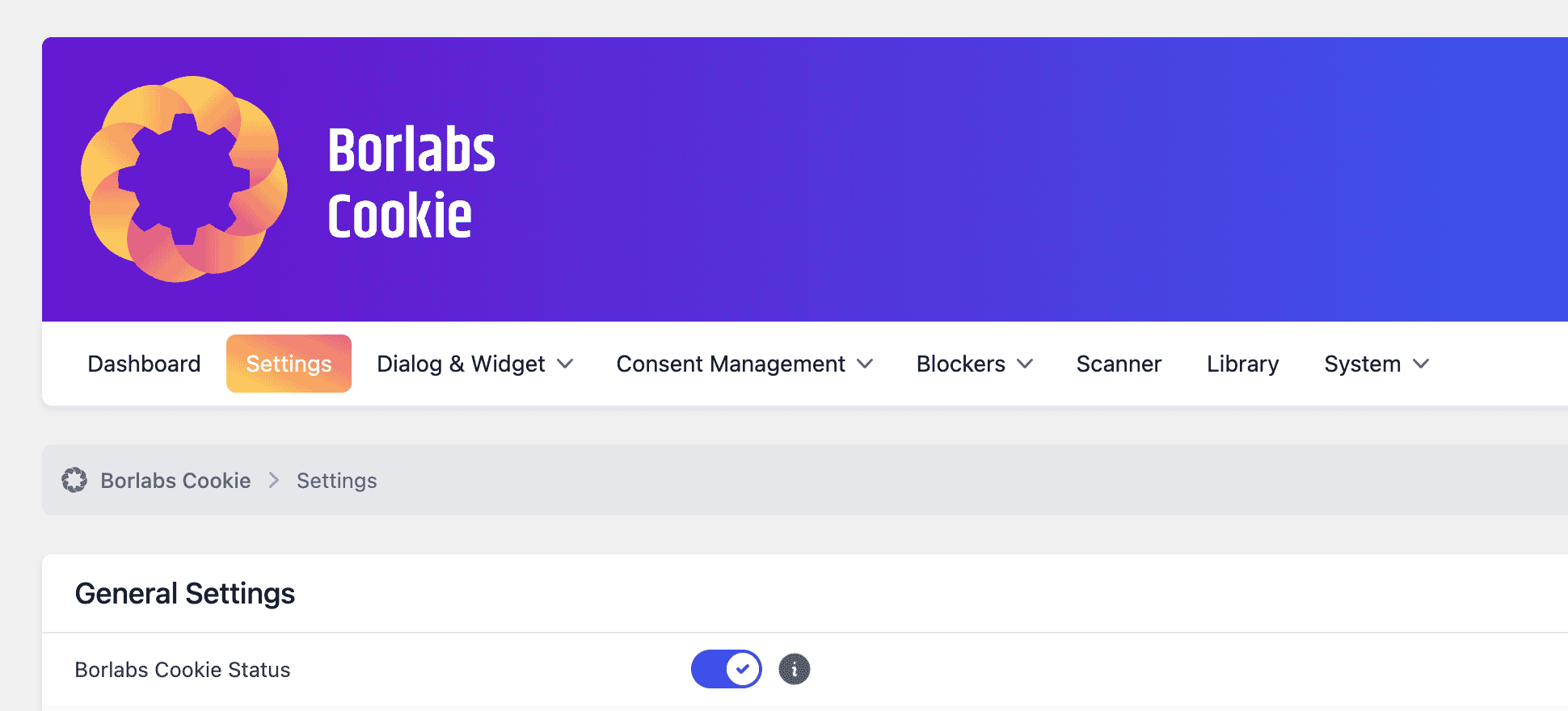
The menu items for "Library" and "Scanner" have been merged into "Library & Scanner". In addition, based on customer feedback, the new submenu item "Installed Packages" has been added, providing direct access to an overview of all installed packages.
TCF 2.4
The IAB TCF integration now supports the mandatory disclosedVendors segment introduced with TCF version 2.3. As a result, Borlabs Cookie 3.4 is a required update for all website operators using TCF.
The update must be installed no later than February 28, 2026.
New WP-CLI Command
The new plugin-config WP-CLI command has been introduced, allowing the settings available on the Admin & Plugin Settings page to be configured.
New JavaScript Events
The following JavaScript events have been added:
borlabs-cookie-before-content-unblocked[{key}]borlabs-cookie-content-unblocked[{key}]borlabs-cookie-dialog-closingborlabs-cookie-dialog-opening
Further information about these hooks is documented in the JavaScript API v3 article.