Introduction
The new version of Borlabs Cookie includes a number of improvements, including the highly requested automatic package update feature. The update is currently being rolled out to our testers and will be available to all customers from mid-July.
If you would like to participate in the test phase of Borlabs Cookie 3.1, select the topic "Feature request / Package request" in the support form, enter your licence key and let us know the URLs for which we should activate version 3.1 in advance.
New setting: Show dialog after user interaction
The new option "Show Dialog After User Interaction" in the dialog settings now allows the dialog to be displayed only after a visitor has interacted with the website. This interaction can be triggered by scrolling, clicking, or pressing a key. When enabled, this setting can have a positive impact on Web Vitals, but it may also lead to a poorer user experience.
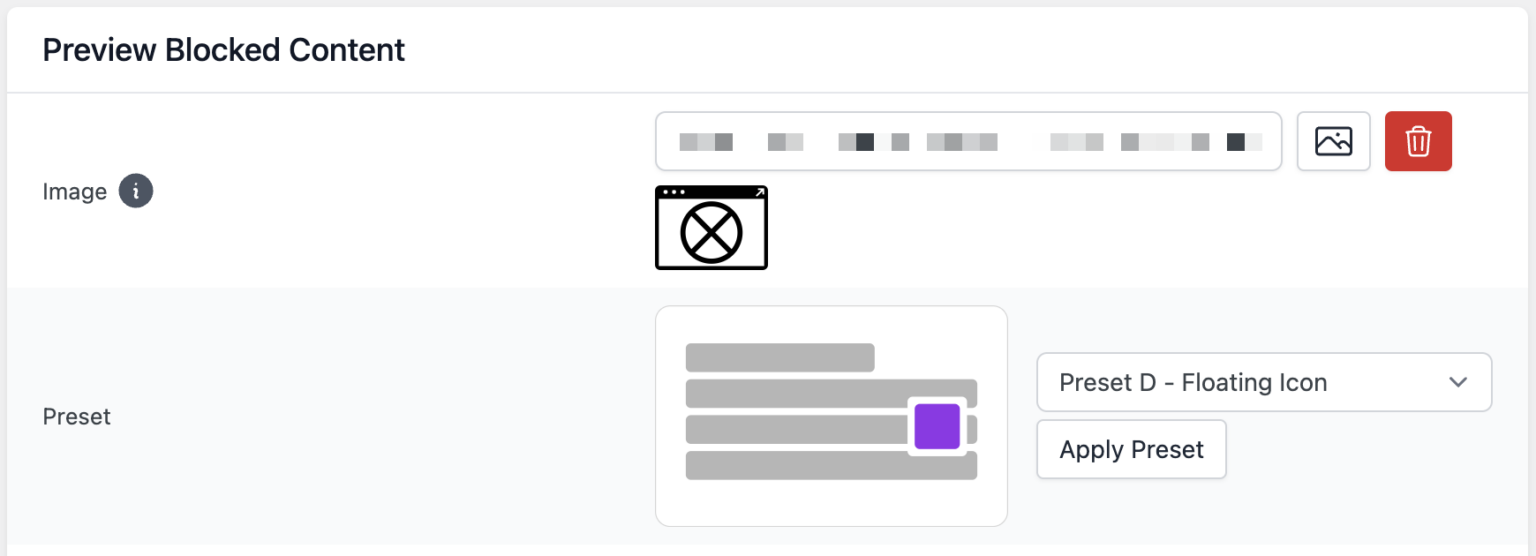
New Content Blocker preset
When creating a Content Blocker, a new fourth preset "Preset D - Floating Icon" is now available. This preset is particularly suitable for blocked chat icons or trust badges.
Improved navigation in the library
Navigation within the library has been improved. From the package details view, it is now possible to return to the previous library view while preserving all filters and search terms. This is particularly useful when multiple installed packages need to be updated manually and you frequently switch between package details and the overview.
New feature: Automatic package updates
With version 3.1, packages from the library can now be updated automatically. This is especially helpful for users who manage multiple websites with a large number of packages.
Settings
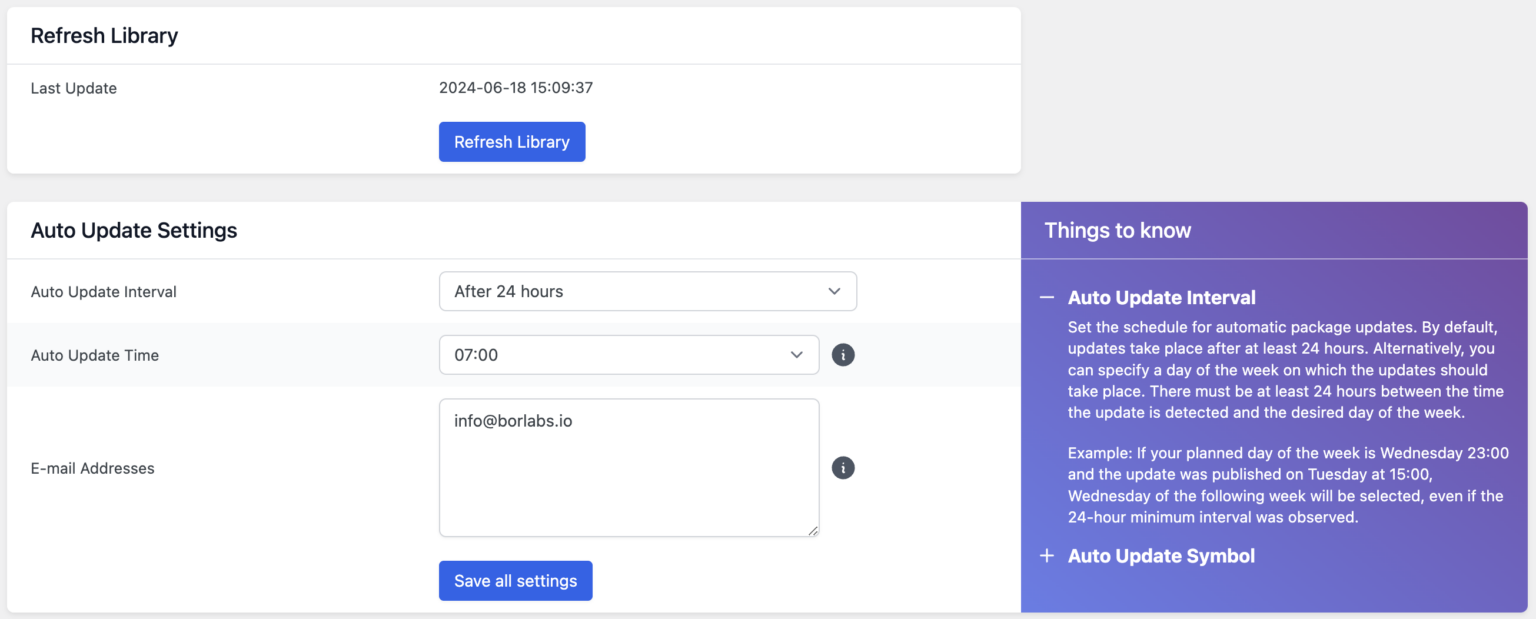
Since planning and control are important for many users, automatic package updates can be scheduled. You can choose whether a package should be updated automatically after 24 hours or on a specific weekday at a specific time.
Email about pending updates
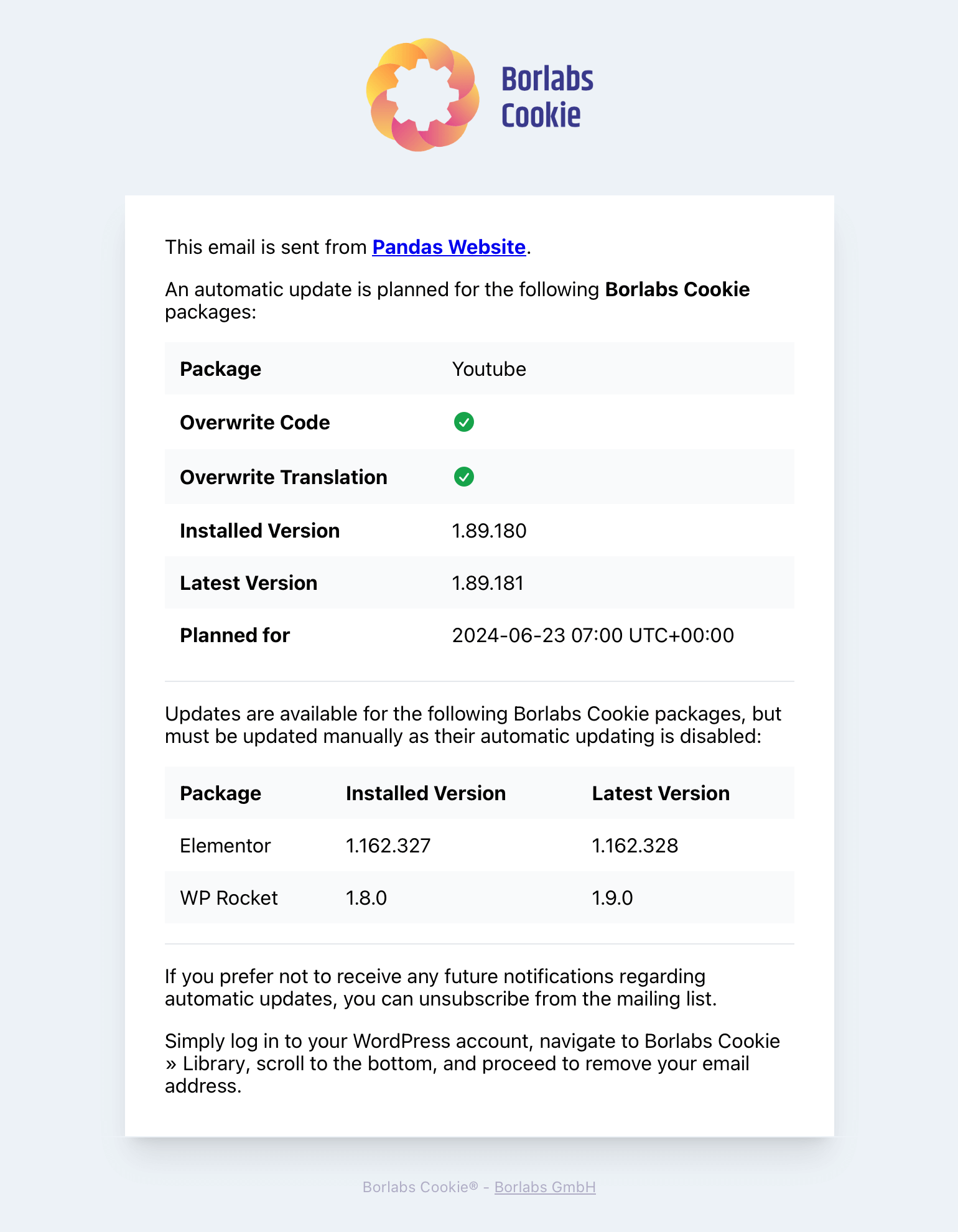
If one or more automatic package updates are scheduled, or if new package updates are available for packages where automatic updates are disabled, an email containing all information about the pending updates will be sent in advance.
The recipients of this email can be configured in the library settings. This email cannot be disabled, and at least one recipient email address must always be configured.
Package details settings
After a package has been installed successfully, the automatic update settings become available in the package details. If an automatic update has been scheduled for the package, the scheduled date and time are displayed in the "Update" section above the "Update" button, as shown in the screenshot.
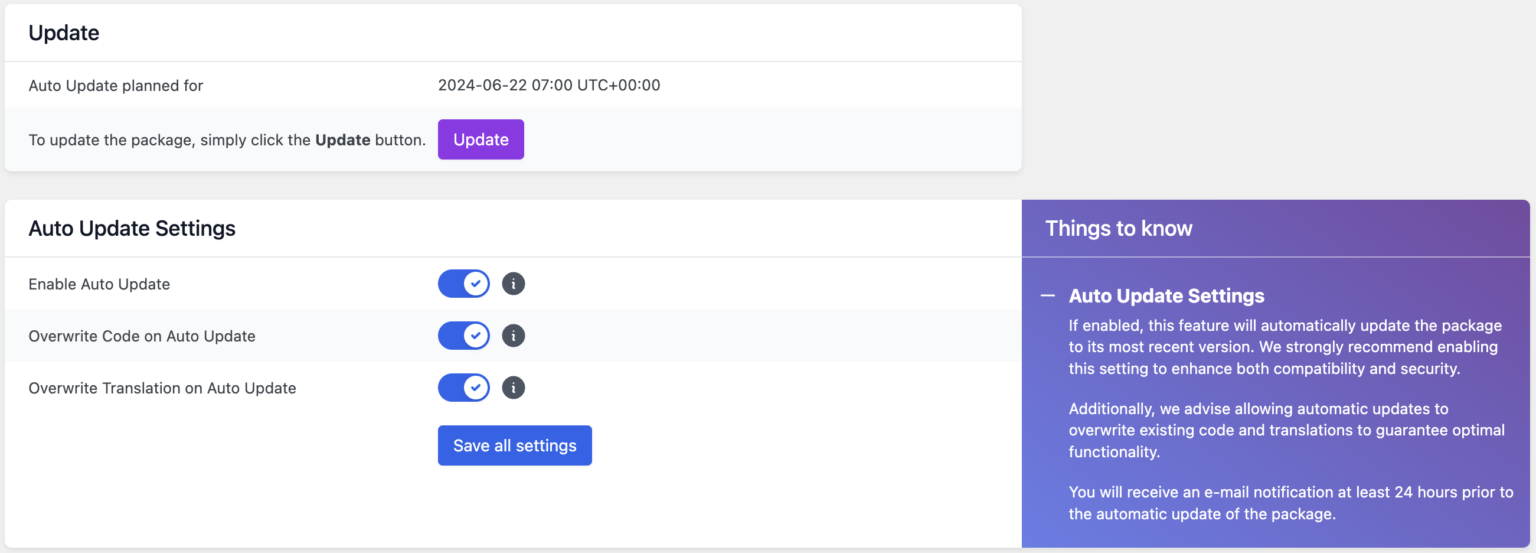
In the "Automatic Update Settings" section, you can define whether the code or translation should be overwritten with the data from the package, or whether the currently stored code or translation should remain unchanged. In general, we recommend using the code and translation provided by our package and enabling this option. However, if you have customized the HTML of a Content Blocker or modified translations, for example, you may want to disable it.
We recommend reading the information provided via the respective info icons as well as the "Things to know" section.
Automatic update icon
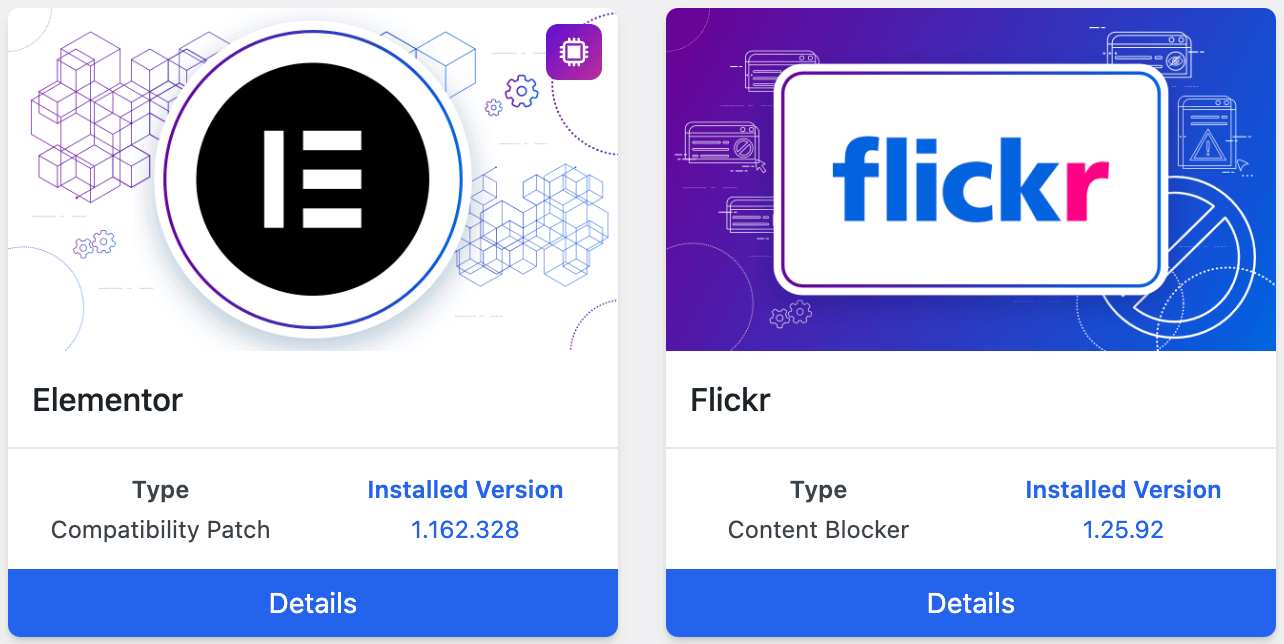
In the package overview, the icon indicates whether automatic updates have been enabled for a package. In the following screenshot, automatic updates are enabled for the Elementor package, while they are disabled for the Flickr package.
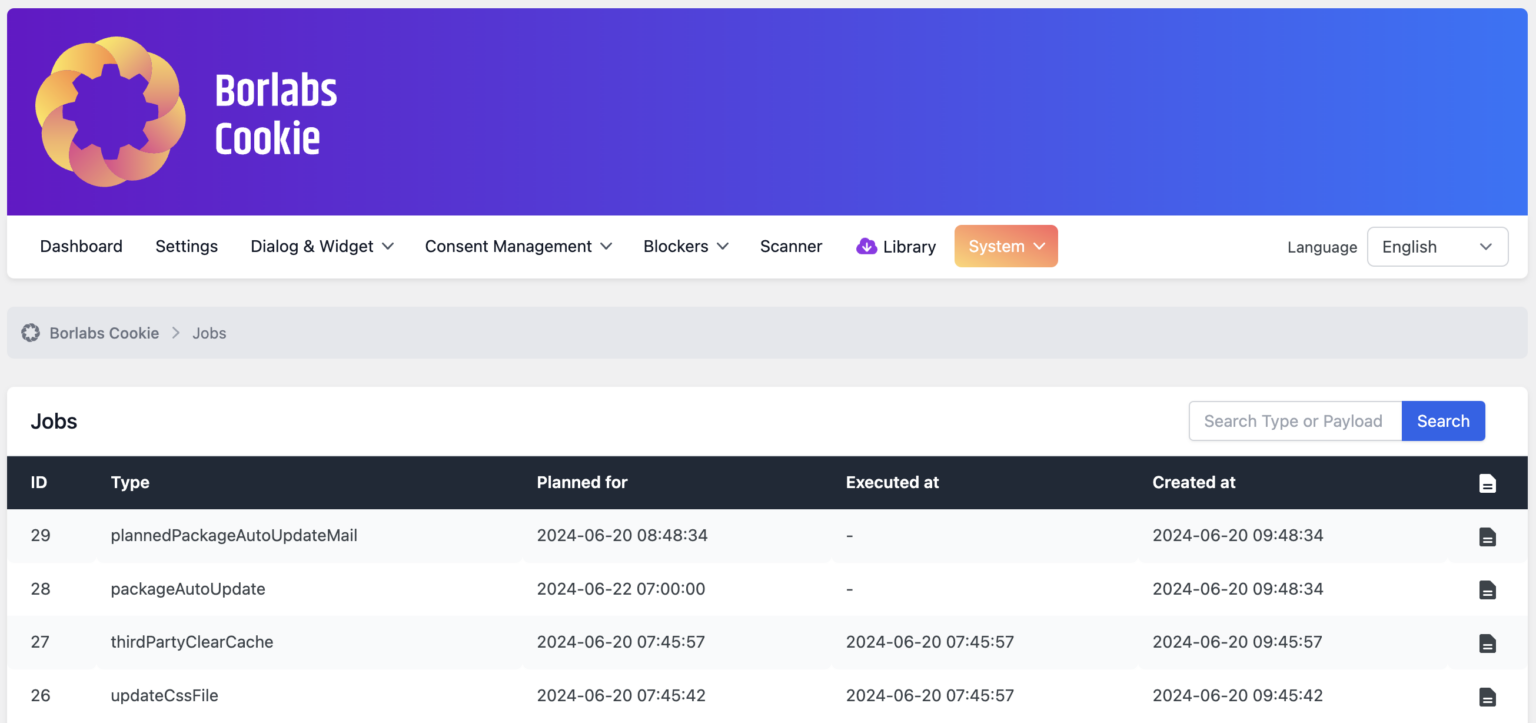
New view: Jobs
To provide better visibility into the tasks that Borlabs Cookie performs or plans to perform automatically in the background, the new "Jobs" view displays all scheduled and completed jobs. This view can be accessed via Borlabs Cookie → "System" → "Jobs".